> ## Documentation Index
> Fetch the complete documentation index at: https://docs.hologram.io/llms.txt
> Use this file to discover all available pages before exploring further.
# Set a default organization
> Choose which organization opens by default when you log in.
 ## How to change your default organization
Open the **Settings** section in the main menu, then open the **My organizations** tab.
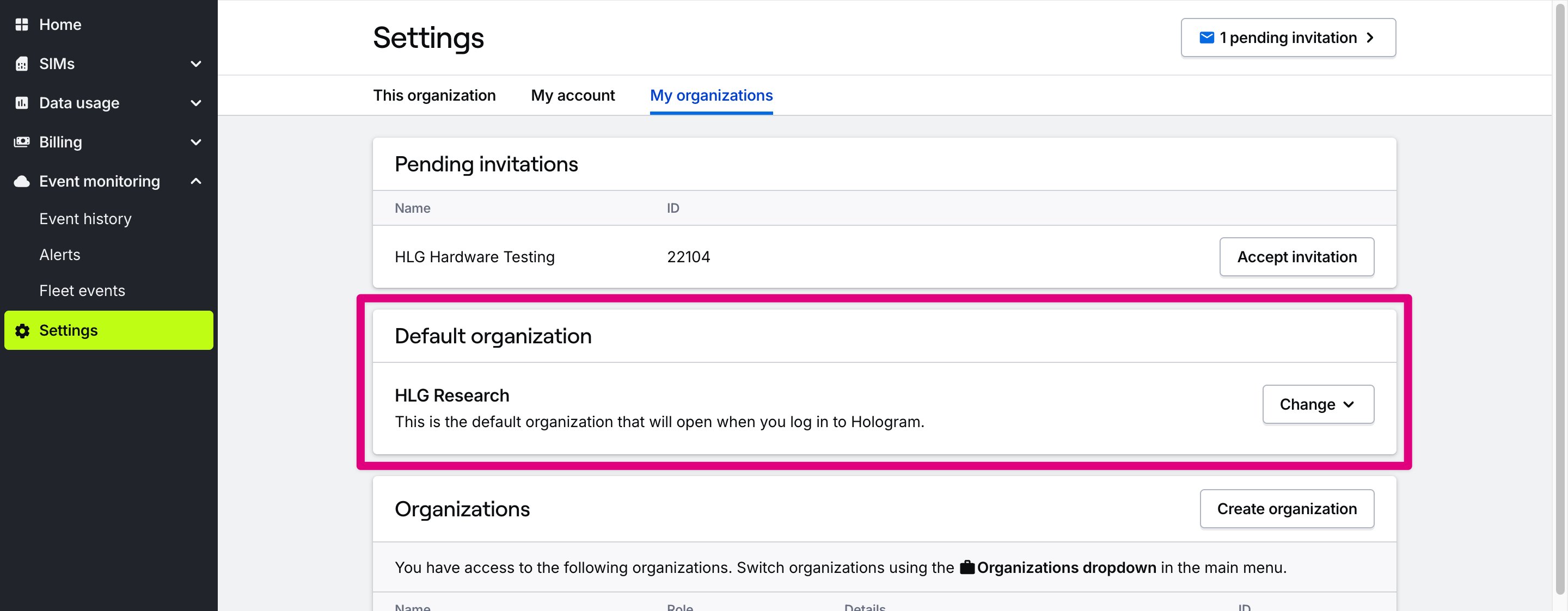
In the **Default organization** card, open the **Change** menu and select the organization you want to set as default. The next time you log in, this organization will open automatically.
## How to change your default organization
Open the **Settings** section in the main menu, then open the **My organizations** tab.
In the **Default organization** card, open the **Change** menu and select the organization you want to set as default. The next time you log in, this organization will open automatically.