> ## Documentation Index
> Fetch the complete documentation index at: https://docs.hologram.io/llms.txt
> Use this file to discover all available pages before exploring further.
# Data plans pages
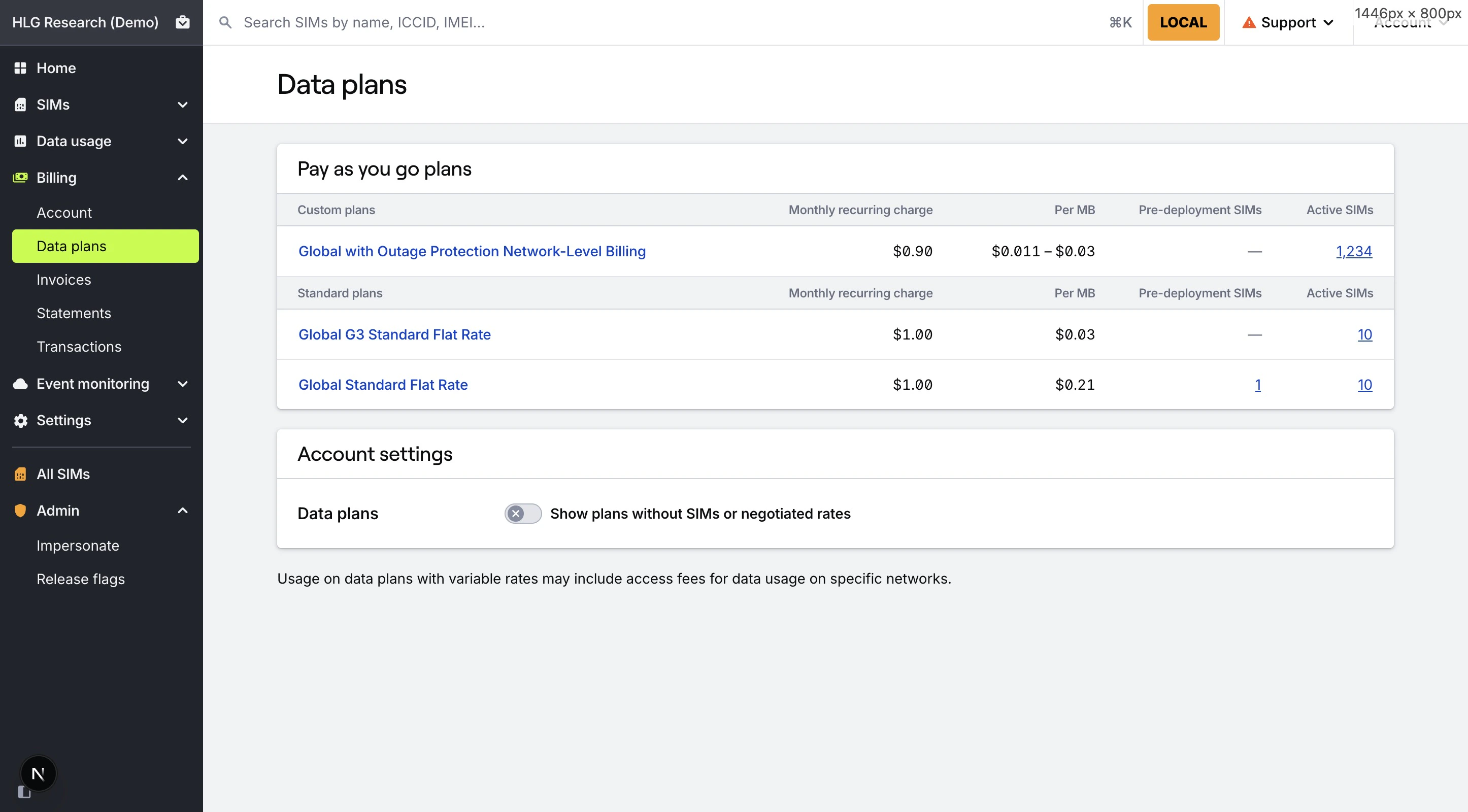
> The **Data plans** page provides a list of all data plans available to your organization. Clicking into a data plan provides detailed pricing, rate, and coverage information for SIMs active on that data plan.
## What information is available on the Data plans page?
The data plans page lists all data plans available to your organization. By default, data plans without any active SIMs are hidden from view, but can be displayed using the toggle switch. Clicking into a data plan will take you to the details page for that data plan.
Plans are categorized by plan type within separate cards: **Pay as you go** plans, **Included data** plans, and **Data pools**. If your organization has an active contract, Custom data plans with negotiated rates are separated from Standard data plans within each card.
Each plan also lists the number of SIMs active on that data plan, and—if your organization has access—the number of pre-deployment SIMs that will be configured with that plan on activation. Clicking on the SIM counts will filter the SIMs page to only show SIMs active on that data plan.
 ## Data plan details
The data plan details page gives you more detailed information about a data plan.
### Pricing tab
The **Pricing** tab of the page gives an overview of the data plan's pricing, including monthly recurring charges, data usage rate ranges, included data amounts, and SMS rates.
## Data plan details
The data plan details page gives you more detailed information about a data plan.
### Pricing tab
The **Pricing** tab of the page gives an overview of the data plan's pricing, including monthly recurring charges, data usage rate ranges, included data amounts, and SMS rates.
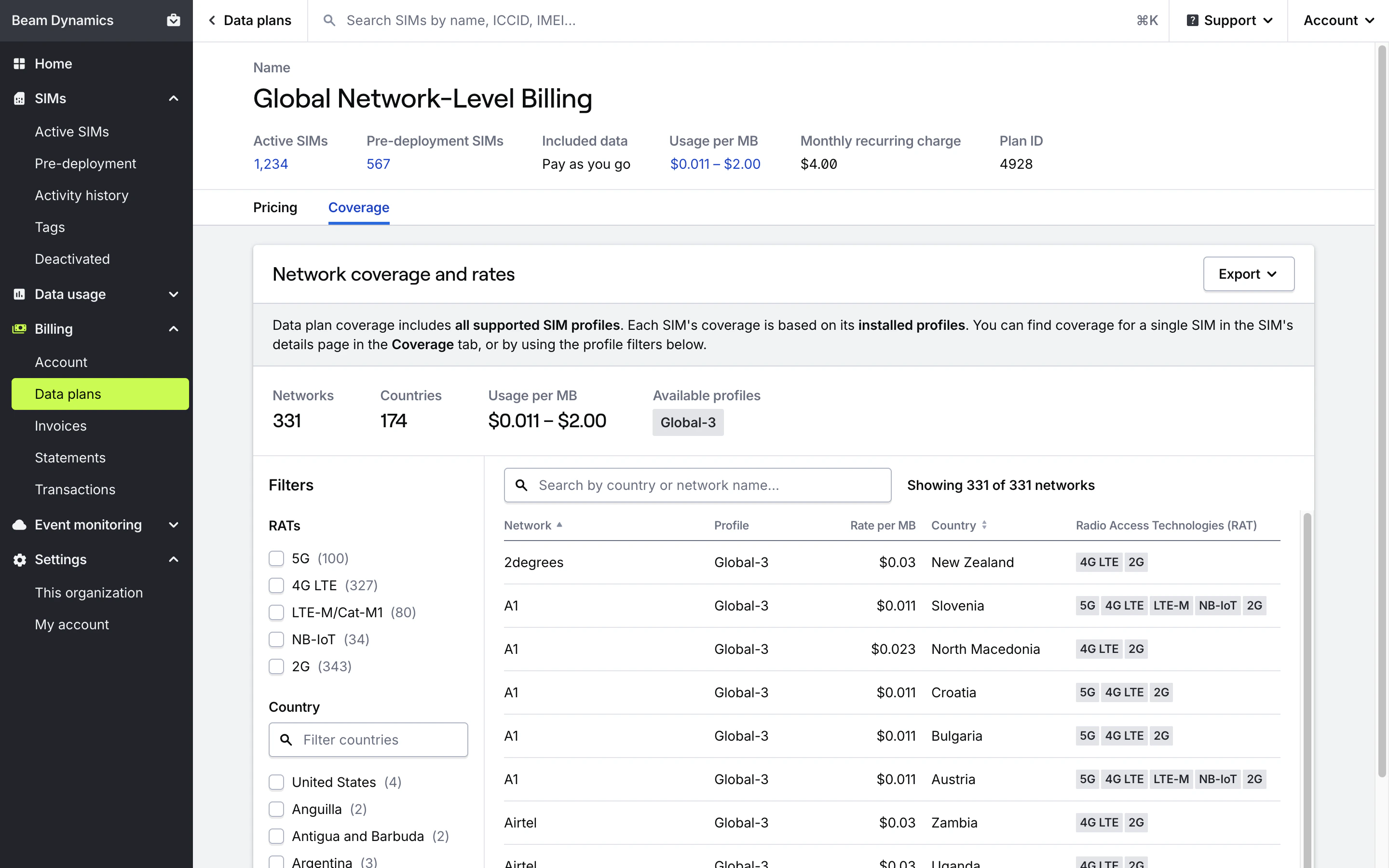
 ### Coverage tab
The **Coverage** tab of the page contains the [Coverage Explorer](/dashboard/billing/coverage-explorer) for the data plan. Here you can find a detailed view of network-level coverage available to SIMs on that data plan.
**Important:** Coverage information for a data plan includes coverage for **all profiles** available on the data plan, not just coverage for the SIMs you have selected. Each SIM's coverage is determined by the **profiles installed on that SIM**.
### Coverage tab
The **Coverage** tab of the page contains the [Coverage Explorer](/dashboard/billing/coverage-explorer) for the data plan. Here you can find a detailed view of network-level coverage available to SIMs on that data plan.
**Important:** Coverage information for a data plan includes coverage for **all profiles** available on the data plan, not just coverage for the SIMs you have selected. Each SIM's coverage is determined by the **profiles installed on that SIM**.
 ## Related guides
## Related actions
## Related guides
## Related actions