> ## Documentation Index
> Fetch the complete documentation index at: https://docs.hologram.io/llms.txt
> Use this file to discover all available pages before exploring further.
# Switch organizations
> You have access to multiple organizations in your dashboard, and may need to switch between them to manage your SIMs or collaborate with your team(s).
## How to switch organizations
Switch organizations by clicking the dropdown menu in the **top left corner** of your dashboard that shows the name of the current organization.
Click your current organization name in the top left corner of the main menu.
 If you're a member of multiple organizations, select the one you want to switch into.
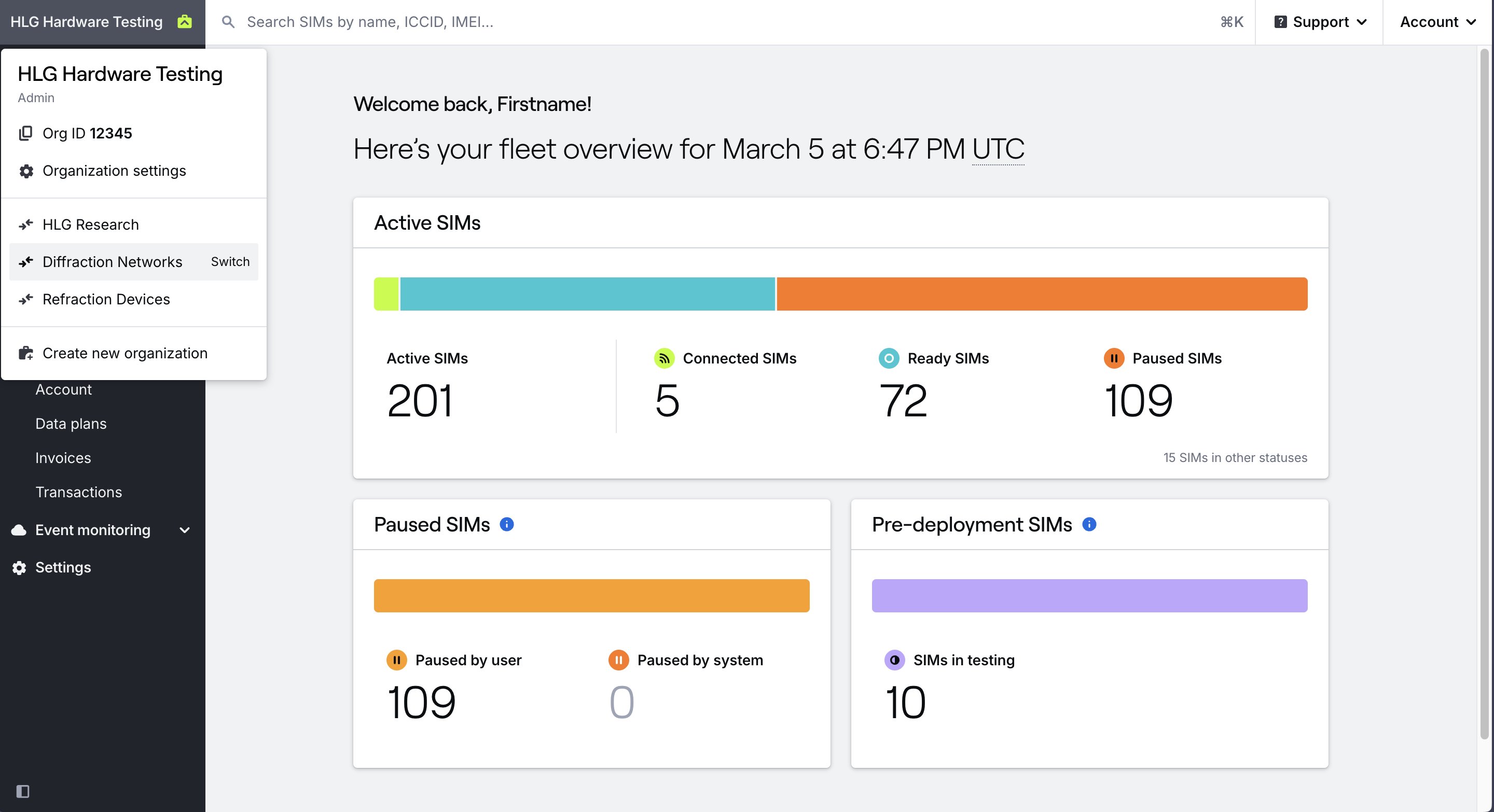 The organizations you have access to are also listed under **Settings → My account** in the **Organizations** tab. This is the same list of organizations you see in the dropdown menu, and you can switch to any of them by selecting the organization name.
## How to set your default organization
If your dashboard continues to open your personal organization by default, you [change your default organization](/dashboard/account/change-default-organization).
## Related guides
Create a new organization
Choose which organization opens by default
Learn about how to delete an organization
The organizations you have access to are also listed under **Settings → My account** in the **Organizations** tab. This is the same list of organizations you see in the dropdown menu, and you can switch to any of them by selecting the organization name.
## How to set your default organization
If your dashboard continues to open your personal organization by default, you [change your default organization](/dashboard/account/change-default-organization).
## Related guides
Create a new organization
Choose which organization opens by default
Learn about how to delete an organization