> ## Documentation Index
> Fetch the complete documentation index at: https://docs.hologram.io/llms.txt
> Use this file to discover all available pages before exploring further.
# Change user roles
> Manage team members with access to collaborate in an organization, and limit or grant access to dashboard features with user roles.
## Changing user roles
Open the **Settings** section in the main menu, then navigate to the **This organization** page.
In the **Team** tab that loads by default you will see a list of all current users in your organization. Click the **Manage access** button in the right side of the user's row.
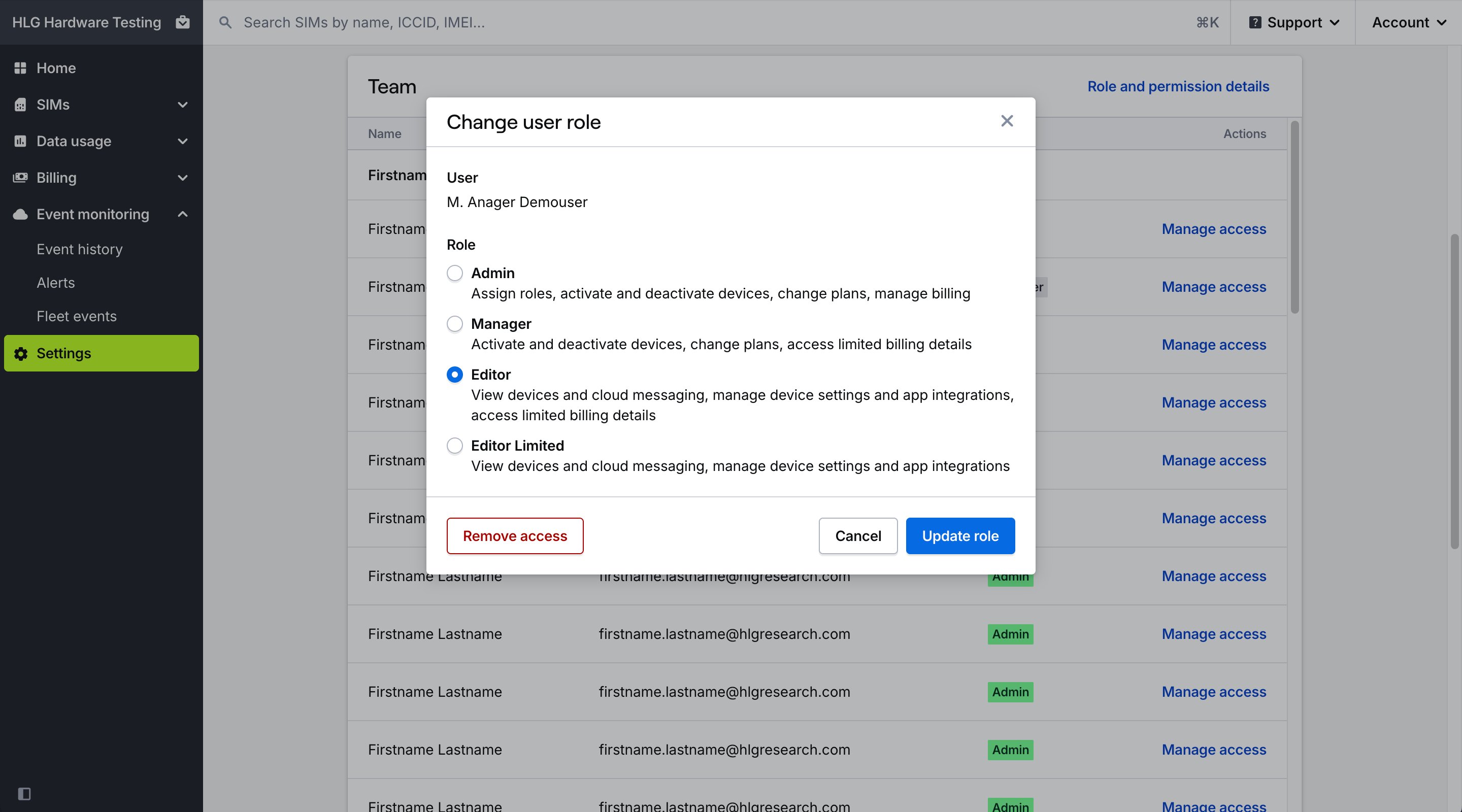 In the **Change user role** modal, select the new role and press **Update role** to save your changes.
## User role permissions
Permissions are granted to users based on their role in the organization.
| Permission | Admin | Manager | Editor | Editor limited |
| ------------------------------------------------------------------ | ----- | ------- | ------ | -------------- |
| View SIMs, data usage, and cloud messages | ✅ | ✅ | ✅ | ✅ |
| Pause and resume data usage | ✅ | ✅ | ✅ | ✅ |
| Manage settings that don't affect costs | ✅ | ✅ | ✅ | |
| Manage app integrations | ✅ | ✅ | ✅ | |
| Invite users with lower permissions | ✅ | ✅ | ✅ | |
| Activate and deactivate SIMs | ✅ | ✅ | | |
| Manage settings that could affect costs (e.g. changing data plans) | ✅ | ✅ | | |
| Change billing settings | ✅ | | | |
**Note:** Only organization Owners and Admins can change user roles. The Editor Limited role is available to organizations with an active contract by [contacting our support team](/guides/get-started/contact-support).
## Related actions
Add teammates to your organization
In the **Change user role** modal, select the new role and press **Update role** to save your changes.
## User role permissions
Permissions are granted to users based on their role in the organization.
| Permission | Admin | Manager | Editor | Editor limited |
| ------------------------------------------------------------------ | ----- | ------- | ------ | -------------- |
| View SIMs, data usage, and cloud messages | ✅ | ✅ | ✅ | ✅ |
| Pause and resume data usage | ✅ | ✅ | ✅ | ✅ |
| Manage settings that don't affect costs | ✅ | ✅ | ✅ | |
| Manage app integrations | ✅ | ✅ | ✅ | |
| Invite users with lower permissions | ✅ | ✅ | ✅ | |
| Activate and deactivate SIMs | ✅ | ✅ | | |
| Manage settings that could affect costs (e.g. changing data plans) | ✅ | ✅ | | |
| Change billing settings | ✅ | | | |
**Note:** Only organization Owners and Admins can change user roles. The Editor Limited role is available to organizations with an active contract by [contacting our support team](/guides/get-started/contact-support).
## Related actions
Add teammates to your organization