> ## Documentation Index
> Fetch the complete documentation index at: https://docs.hologram.io/llms.txt
> Use this file to discover all available pages before exploring further.
# Explore SIM coverage and rates
> Use Coverage Explorer in a SIM's **Coverage** tab to find the exact networks your SIM can connect to and the rates you can expect to pay per MB. A SIM's available coverage is determined by the SIM's active data plan, and the profiles installed on the SIM card. The enabled profile on a SIM determines networks it can connect to.
## Network coverage and rates card
This card lists the networks your SIM can connect to, and the rates you can expect to pay per network. You can filter the list by profile, RAT, and country, or search for specific networks.
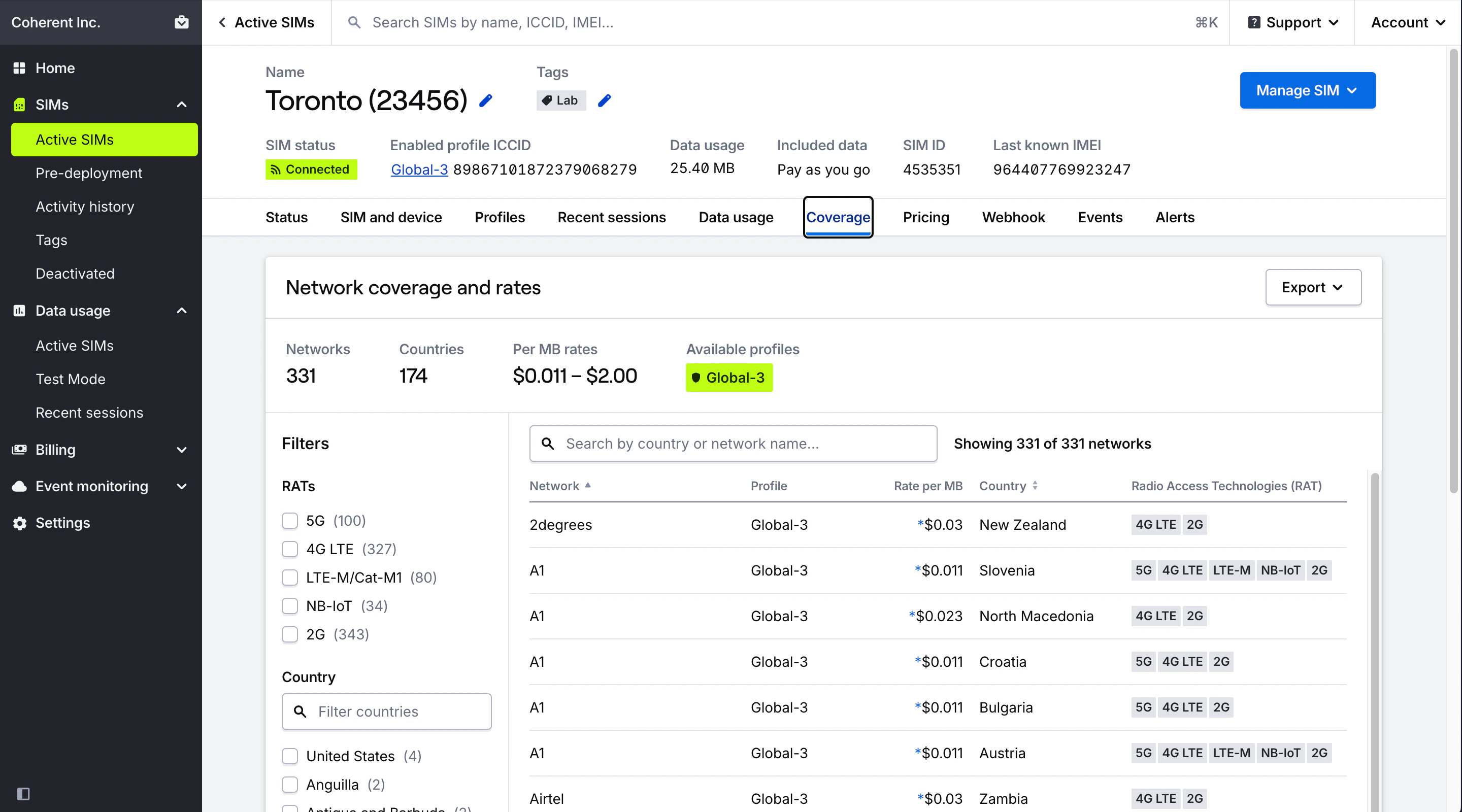 Exporting the coverage list to XLSX or CSV will include detailed network metadata, including profile name, network name, rate per MB, country, UNC (Hologram's Universal Network Code for billing), TADIG, MCC, MNC, and available RATs.
**Limited access:** Some functionality in your dashboard is restricted or unavailable if you are in a Manager, Editor, or Editor Limited role.
## Related guides
Exporting the coverage list to XLSX or CSV will include detailed network metadata, including profile name, network name, rate per MB, country, UNC (Hologram's Universal Network Code for billing), TADIG, MCC, MNC, and available RATs.
**Limited access:** Some functionality in your dashboard is restricted or unavailable if you are in a Manager, Editor, or Editor Limited role.
## Related guides