> ## Documentation Index
> Fetch the complete documentation index at: https://docs.hologram.io/llms.txt
> Use this file to discover all available pages before exploring further.
# SIM and device details tab
> The **SIM and device** for a single SIM provides detailed information about settings, IDs, and configuration information for a Hologram SIM, and any information we have about the device we last saw it in as provided by session records. Information provided in this tab is similar to device details returned through the REST API.
## SIM details card
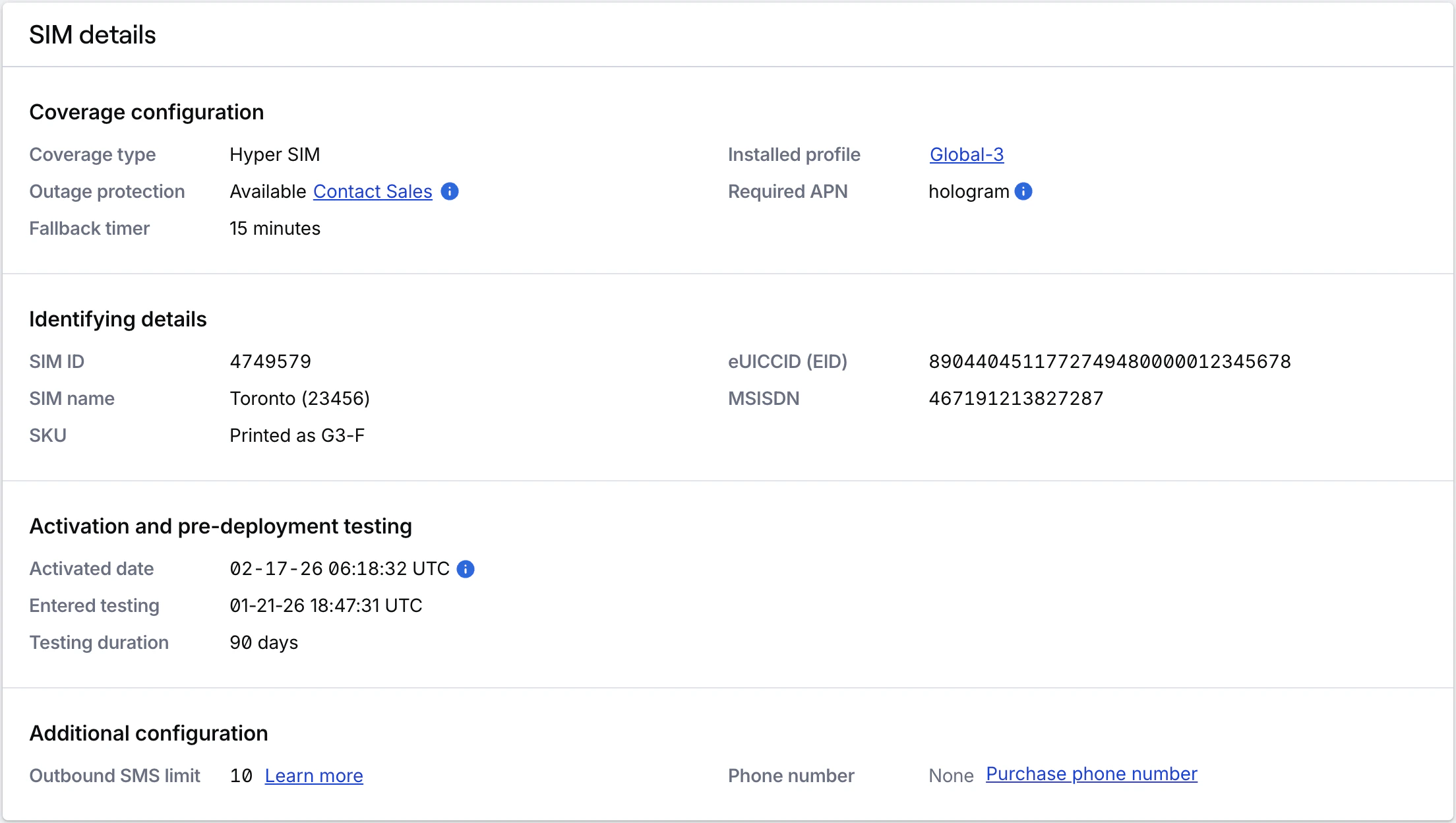
This card contains the primary identifying details for a SIM, configuration details, activation information, and SIM-level settings.
 Displays only when the SIM is deactivating or deactivated. Includes when the SIM was deactivated (UTC).
Coverage type (Dual-Core, Multi-Core, Single-Core, or Single-Core UICC), Outage Protection status, Installed profiles able to use data, and Required APN(s).
SIM ID, Name, SKU, eUICCID (EID), and MSISDN.
Activation date/time (UTC), Entered testing (UTC), Testing duration, and Target activation date (if applicable).
Outbound SMS limit and Phone number (if purchased and available).
## Last known device details card
Details about the last known device the SIM was seen in. SIMs can move between physical devices, so these details are tracked separately. Device information is based on IMEI information provided through session data. Hologram generally does not manage information about your devices.
Hologram-assigned ID for your device.
Last known IMEI for the device, if available and provided by a network.
TAC prefix for the IMEI, if available.
Name of the modem, if it can be determined.
Hardware model, if it can be determined.
Device tunneling configuration using Spacebridge.
## Related actions
Get device details
Displays only when the SIM is deactivating or deactivated. Includes when the SIM was deactivated (UTC).
Coverage type (Dual-Core, Multi-Core, Single-Core, or Single-Core UICC), Outage Protection status, Installed profiles able to use data, and Required APN(s).
SIM ID, Name, SKU, eUICCID (EID), and MSISDN.
Activation date/time (UTC), Entered testing (UTC), Testing duration, and Target activation date (if applicable).
Outbound SMS limit and Phone number (if purchased and available).
## Last known device details card
Details about the last known device the SIM was seen in. SIMs can move between physical devices, so these details are tracked separately. Device information is based on IMEI information provided through session data. Hologram generally does not manage information about your devices.
Hologram-assigned ID for your device.
Last known IMEI for the device, if available and provided by a network.
TAC prefix for the IMEI, if available.
Name of the modem, if it can be determined.
Hardware model, if it can be determined.
Device tunneling configuration using Spacebridge.
## Related actions
Get device details GET /devices/{device_id}