> ## Documentation Index
> Fetch the complete documentation index at: https://docs.hologram.io/llms.txt
> Use this file to discover all available pages before exploring further.
# Device location and location history
> View approximate tower location information and location history for your Hologram SIMs
You can find **approximate location information** for the tower your SIM is connected to in the device's page in the SIMs section of your [dashboard](https://dashboard.hologram.io/). We provide approximate, crowd-sourced tower location data based on tower information from sessions shared with us from individual networks.
**Important:** We provide location information for approximate troubleshooting of SIM behavior. Tower location information should not be relied on as a precise reporting tool.
* **Some networks do not provide location information.**
* **Some networks do not provide location information for every session.** This can cause location to sometimes "disappear" for a SIM.
* **Crowdsourced location data information may be inaccurate or out-of-date.**
## SIM location information
Tower location provides region, country, latitude, and longitude information that is useful for troubleshooting and reporting. The data provided is based on the network's tower location records, so accuracy varies by network. For dense cities the location of the SIM should be within a 1 kilometer (0.62 mile) radius.
For more accurate location information or any real-time location-sensitive application, use a GPS module.
You can also [look up a device's location using the REST API](/guides/rest-api/determine-devices-location-via-the-rest-api).
### Location data for a single SIM
SIM location can be found in two locations within a SIM's details page. First open a SIM from the **SIMs** section in your dashboard or using search.
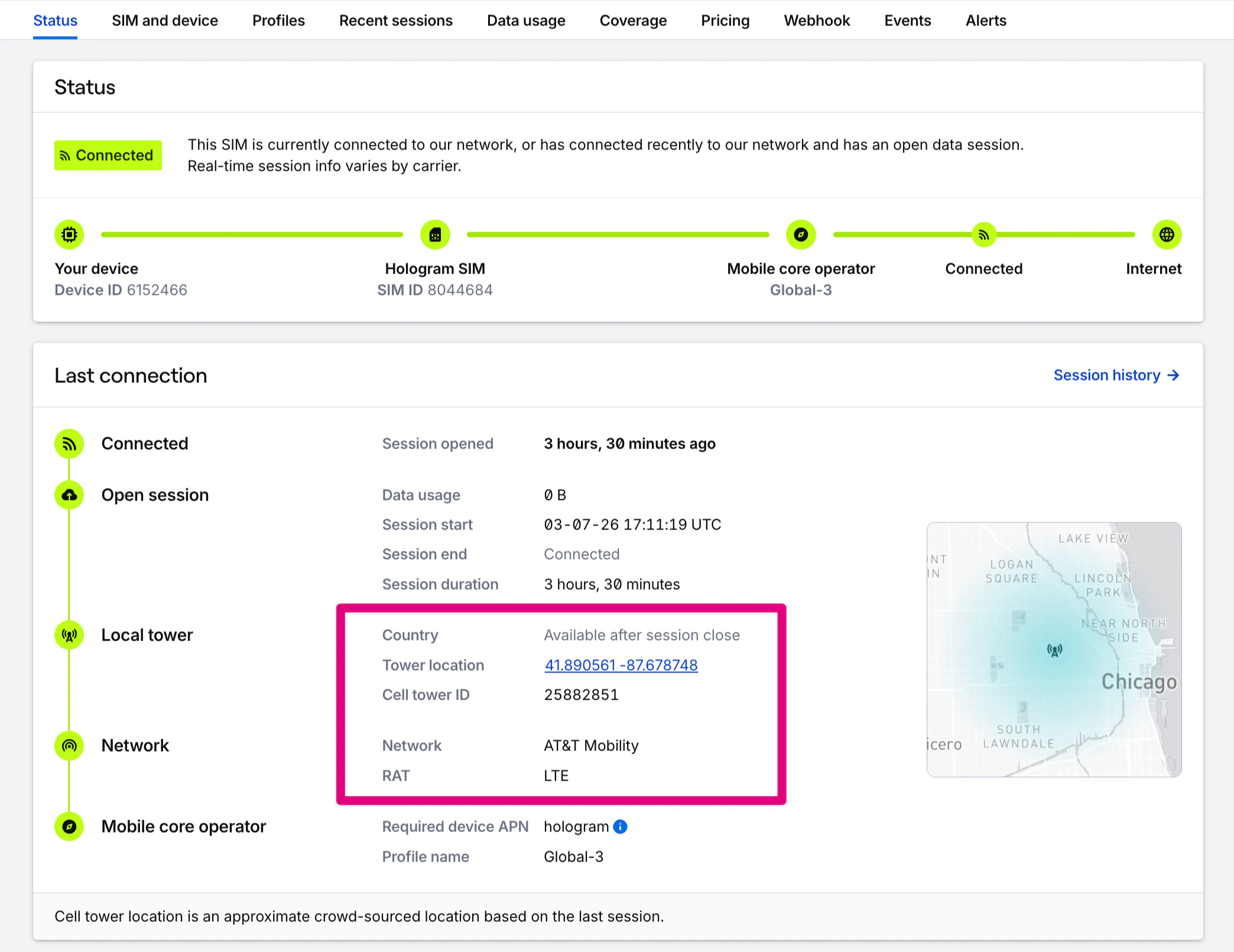
In the **Status** tab, location information — if known — will display in the **Last connection** and session details along with a map. The tower location coordinates links to Google Maps.
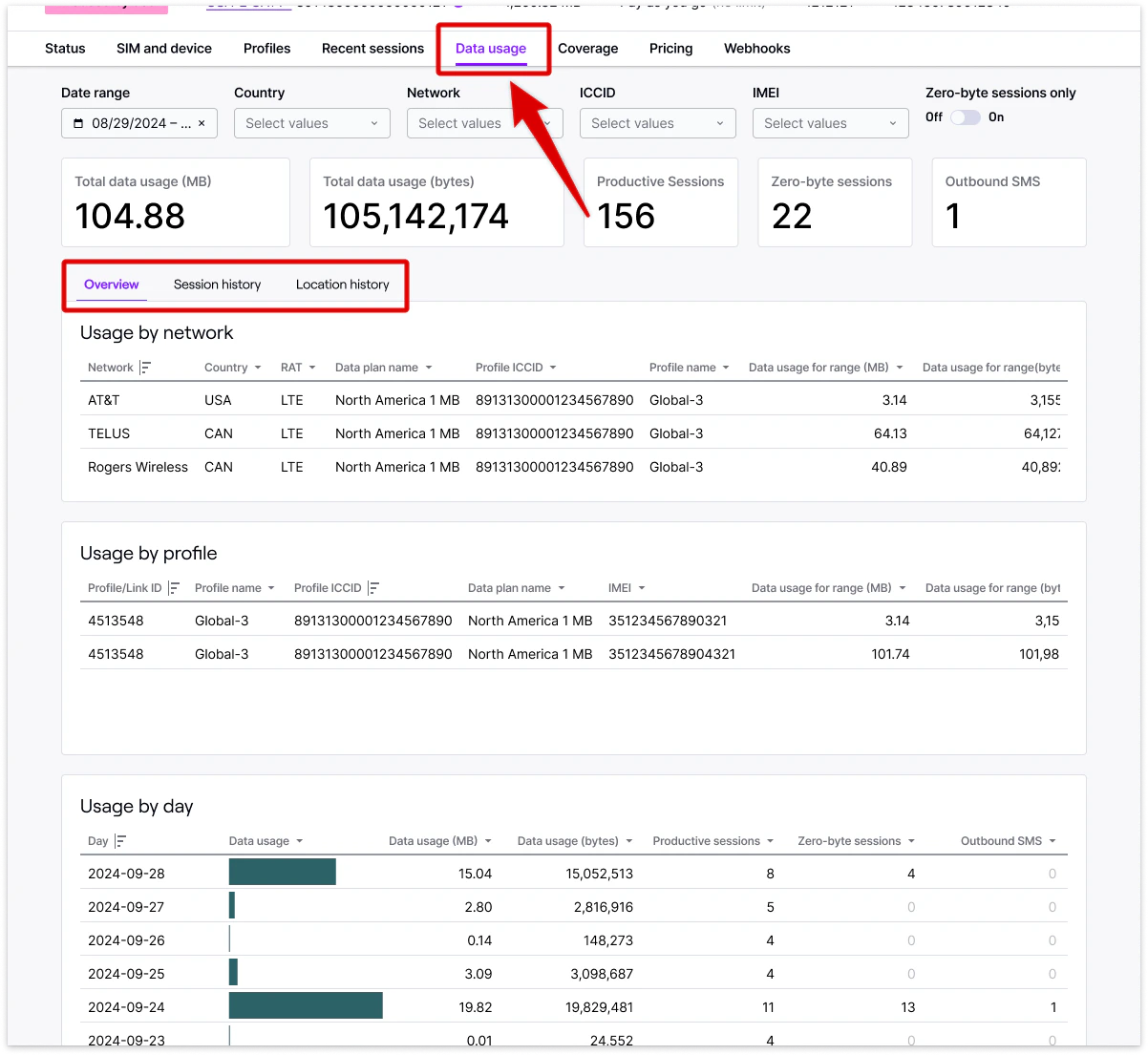
 Historical location information for a SIM can be found by opening the **Data usage** tab in the **Usage by network** card.
 If you have access to full historical reporting, you can find location information by opening the **Data usage** tab in the **Session history** and **Location history** tabs.
 ### Location data across your fleet
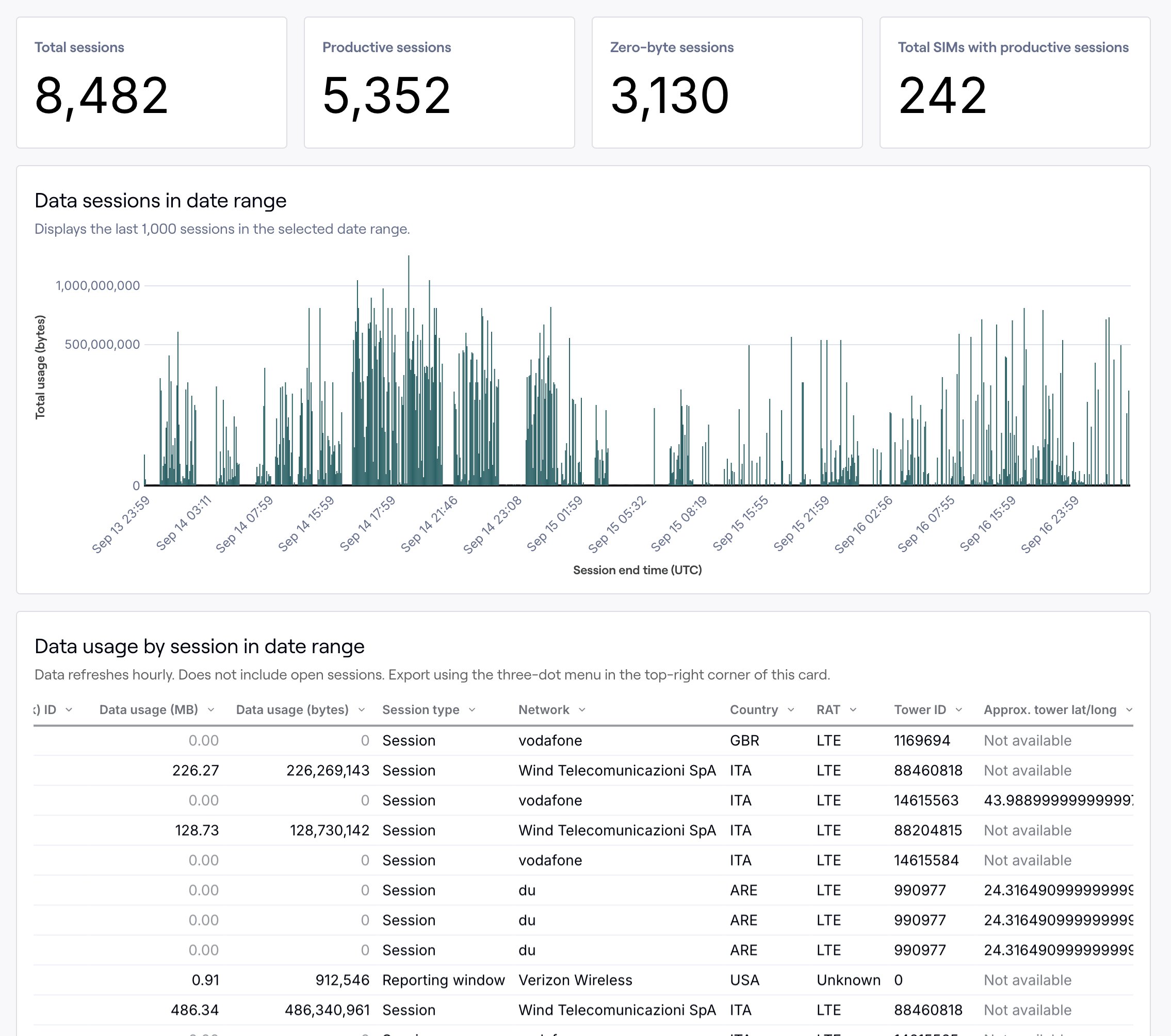
Historical location information across your entire fleet is available at the session level by downloading the **Data usage by session** report found under the **Usage** section of your dashboard. Country, tower ID, and approximate latitude and longitude—if known—will be listed for all sessions in which we have them. Please note the disclaimer at the top of this page for location availability.
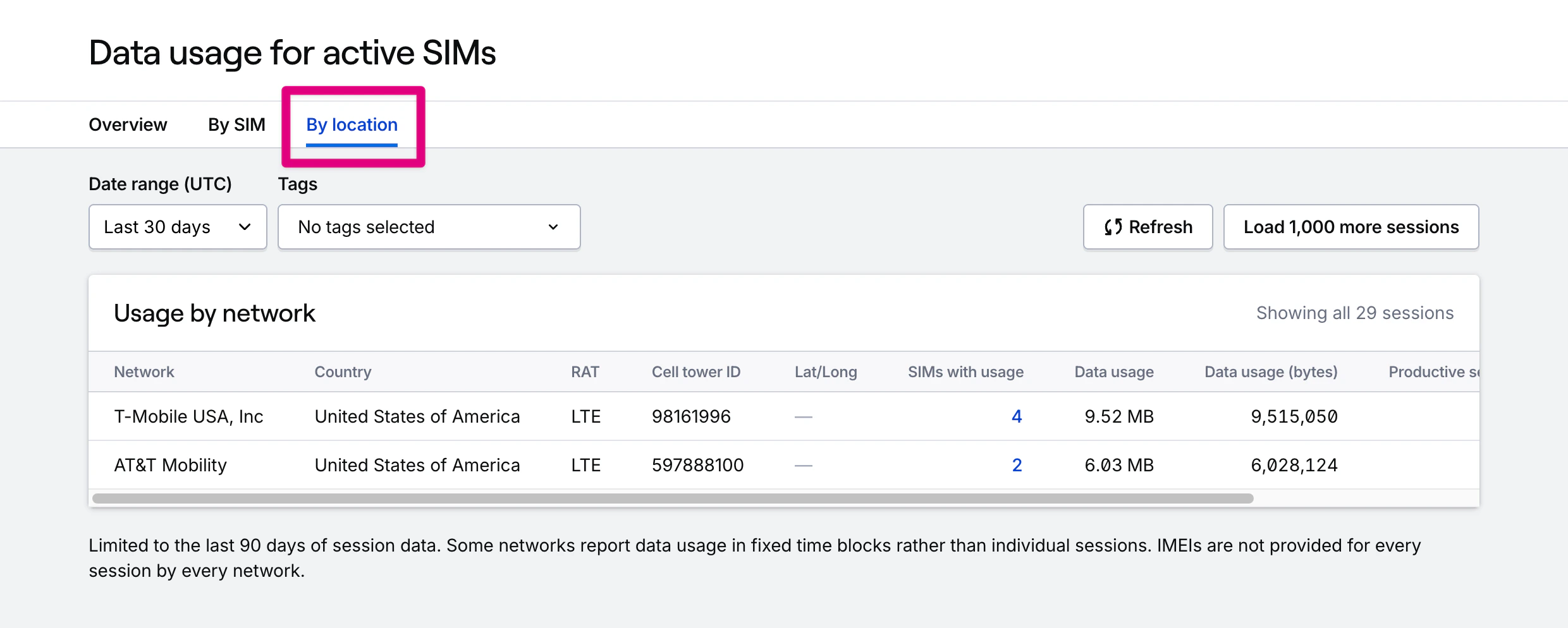
*If you have access to full historical reporting*, you can find location information in two places. The **By SIM** tab will let you find usage by SIM, grouped by network. The **By location** tab will additionally break down usage by country and tower ID, with a map of approximate tower location.
### Location data across your fleet
Historical location information across your entire fleet is available at the session level by downloading the **Data usage by session** report found under the **Usage** section of your dashboard. Country, tower ID, and approximate latitude and longitude—if known—will be listed for all sessions in which we have them. Please note the disclaimer at the top of this page for location availability.
*If you have access to full historical reporting*, you can find location information in two places. The **By SIM** tab will let you find usage by SIM, grouped by network. The **By location** tab will additionally break down usage by country and tower ID, with a map of approximate tower location.
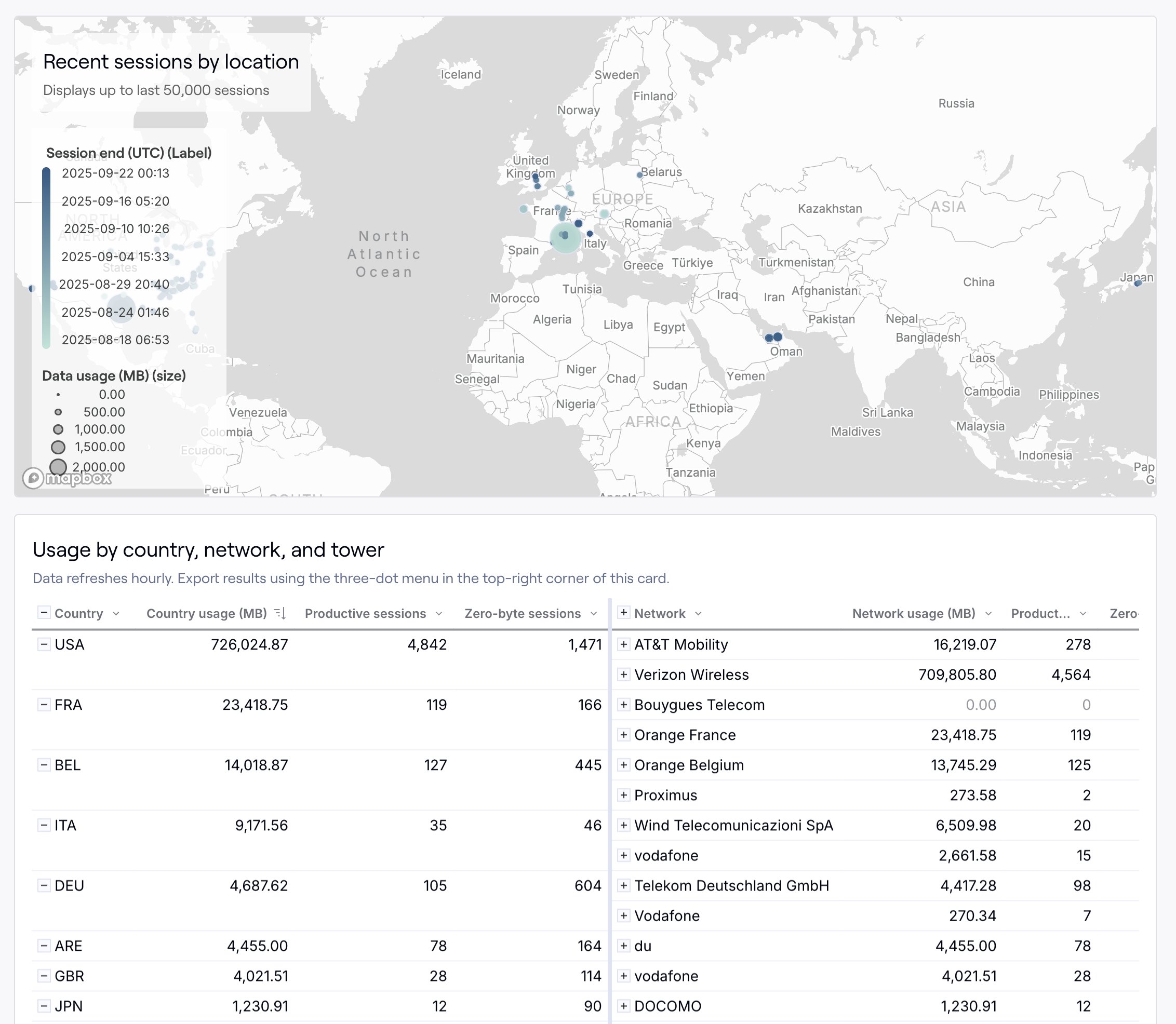 *If you have access to recent usage*, the **By location** tab will group recent data usage by country, network, and tower ID.
 *If you have access to full historical reporting*, you can find location information at the session level in the **By session** tab. Each session has network, country, tower ID, and approximate latitude and longitude coordinates for the tower location.
 **Restrict access:** Contracted organizations can optionally remove location data access. Learn more by contacting our [sales team](https://www.hologram.io/contact-sales?utm_source=docs\&utm_medium=website\&utm_content=location_data_callout).
## Related guides
**Restrict access:** Contracted organizations can optionally remove location data access. Learn more by contacting our [sales team](https://www.hologram.io/contact-sales?utm_source=docs\&utm_medium=website\&utm_content=location_data_callout).
## Related guides