> ## Documentation Index
> Fetch the complete documentation index at: https://docs.hologram.io/llms.txt
> Use this file to discover all available pages before exploring further.
# Introduction to AT commands
> Learn AT command basics and operators (read, set, test) for modem control.
## AT command basics
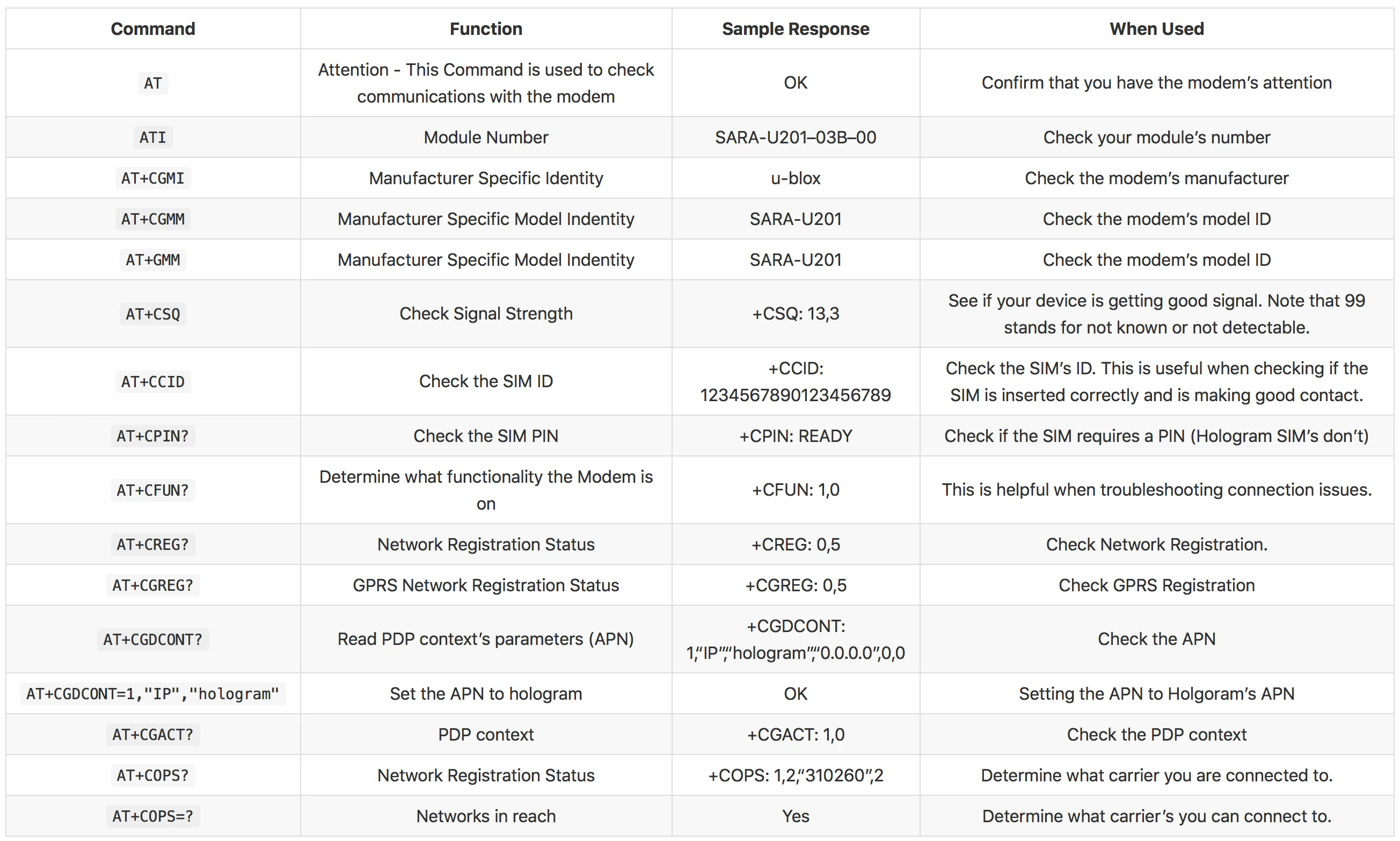
AT (Attention) commands are used to communicate with cellular modems via a serial interface.
Use a terminal (e.g., Screen, Tera Term, PuTTY, GTKTerm) to open the modem's serial port. Send `AT` and expect `OK`.
* **? (read)**: Query current value, e.g., `AT+CFUN?`.
* **= (set)**: Set value, e.g., `AT+CFUN=1`.
* **=? (test)**: Show supported options, e.g., `AT+COPS=?`.
 **Note:** You can also run the automated diagnostics script if preferred.