

Billing account notifications
General billing notifications are sent to your organization’s Owner, the primary contact for your account. To update who receives these notifications, update your organization Owner’s email address in the Settings → My account page.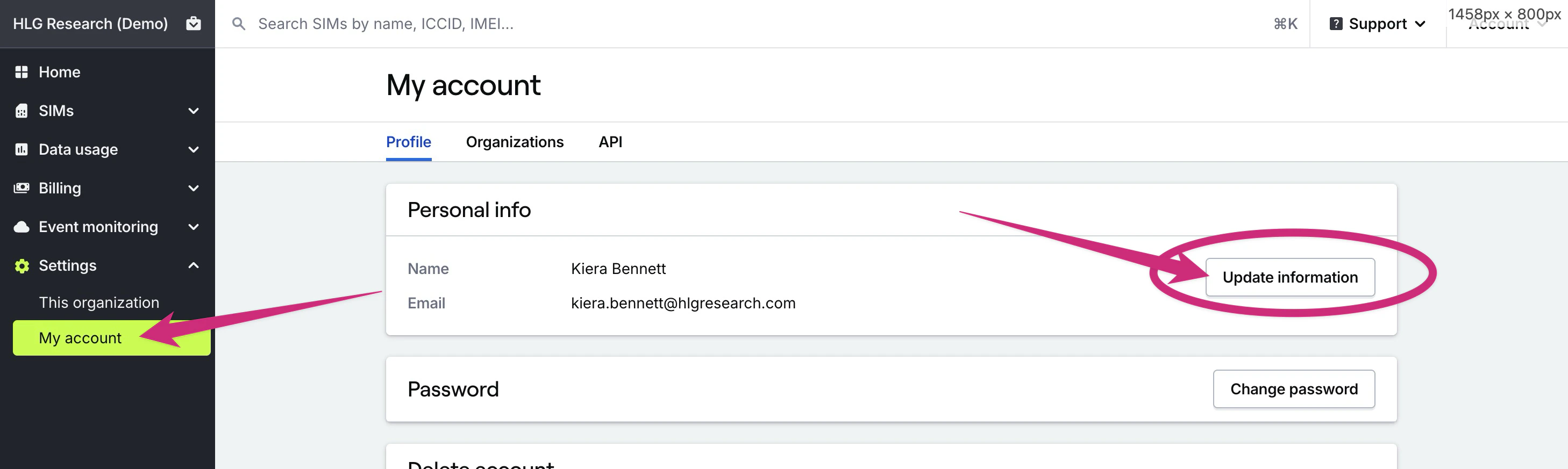
Invoice notifications
If you receive invoices from Hologram and need to send invoices to a specific email address, you can change who receives invoice emails in your linked Stripe account. Invoices are sent through your Stripe account, and will be sent to the email addresses you specify in Stripe. Your Stripe account is created with the same email address as the Owner of your Hologram organization. If you are unable to access this email address or the associated account, please contact support@hologram.io for assistance.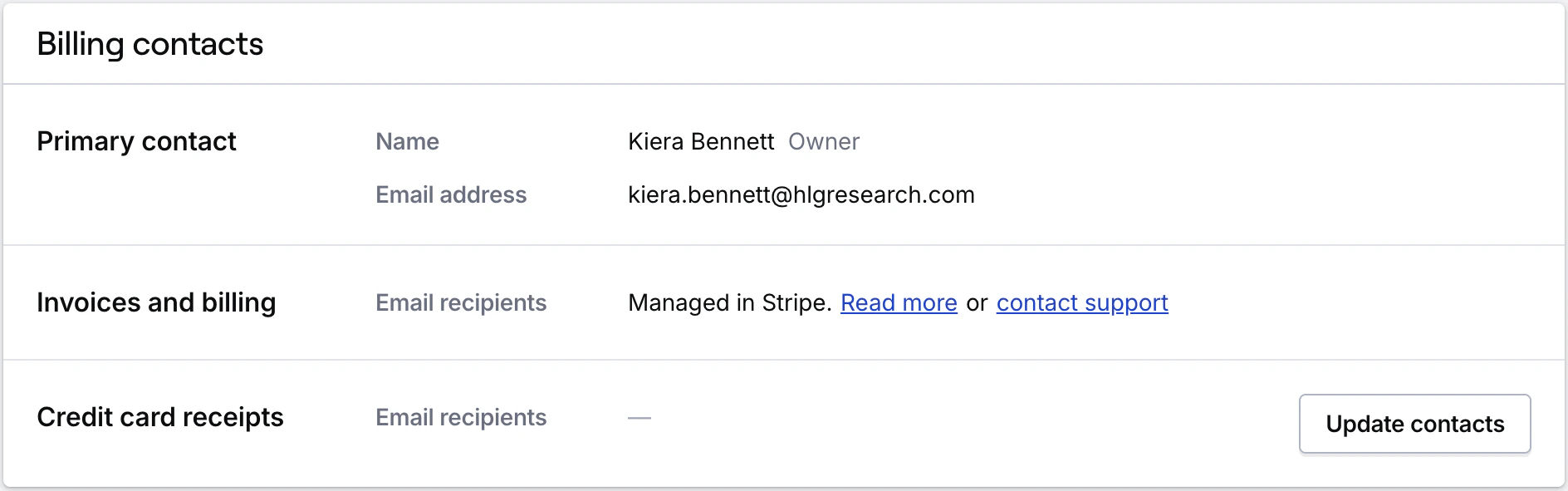
Credit card receipt notifications
We send limited credit card receipts to your organization’s Owner, and to any other email addresses you choose. These receipts are only generated for charges made with a credit card that are not charged against your account balance. This typically happens only for charges like SIM activations or data plan changes.1
Go to Billing → Account
To share credit card billing emails go to the Account page in the Billing section of the main menu.
2
Add email addresses
Scroll down to the Billing notifications card where you can add the email addresses of any additional recipients. To add multiple emails, separate them with a comma.
Note: Learn more about if you qualify for monthly invoicing by contacting our sales team.