
Documentation Index

Fetch the complete documentation index at: https://docs.hologram.io/llms.txt

Use this file to discover all available pages before exploring further.

We’re very excited to finally have these updates in your hands. This release comes from direct customer feedback and our own team’s wishlist for new features and improvements. If you run into any issues or rough edges, please contact support and we’ll be happy to help. If you have ideas for improvements or new features, please use the new Support menu in the top menu of your dashboard and Share feedback to let us know what you think. We really do read and prioritize every message you send.
Jeff and the Hologram Product, Design, and Engineering teams

Updated navigation

The navigation in your dashboard makes it easier to find the information you need, while allowing us to add new features and improve the overall experience.

Change organizations

To change organizations, use the dropdown menu in the top left corner of your dashboard.

Change organizations in the top left corner of your dashboard

Integrated documentation

You can now find documentation for features and functionality by opening the Support menu in the top menu bar.
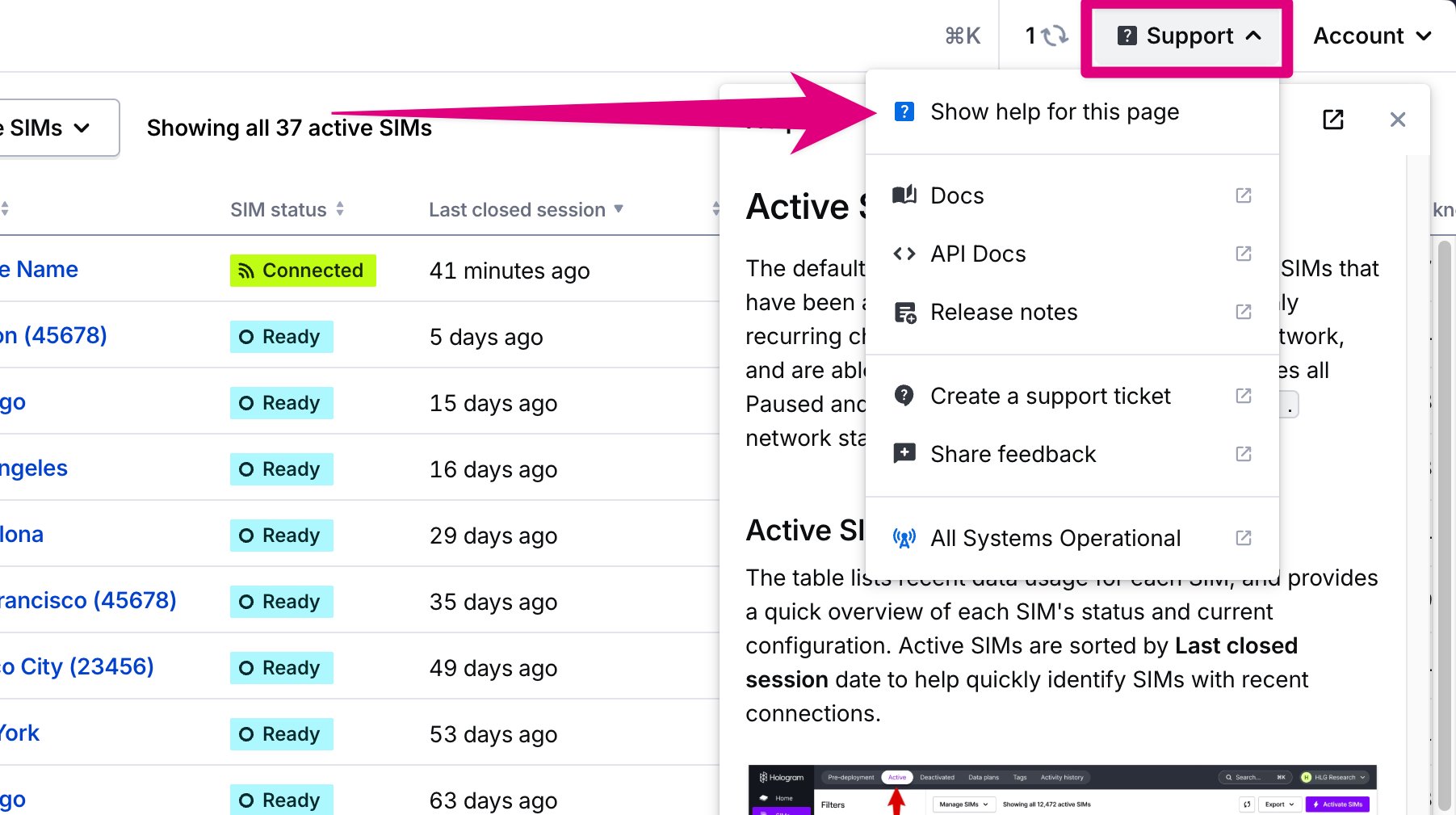
Documentation sidebar in the top right corner of your dashboard

Alerts and notifications

You can now create alerts to receive email or webhook notifications for events in your fleet. With this release, we are deprecating some legacy functionality from Routes and will be expanding Alerts to support more event types and features. Unsupported alerts will still function for a time, but are no longer editable your dashboard and will be removed in a future release.
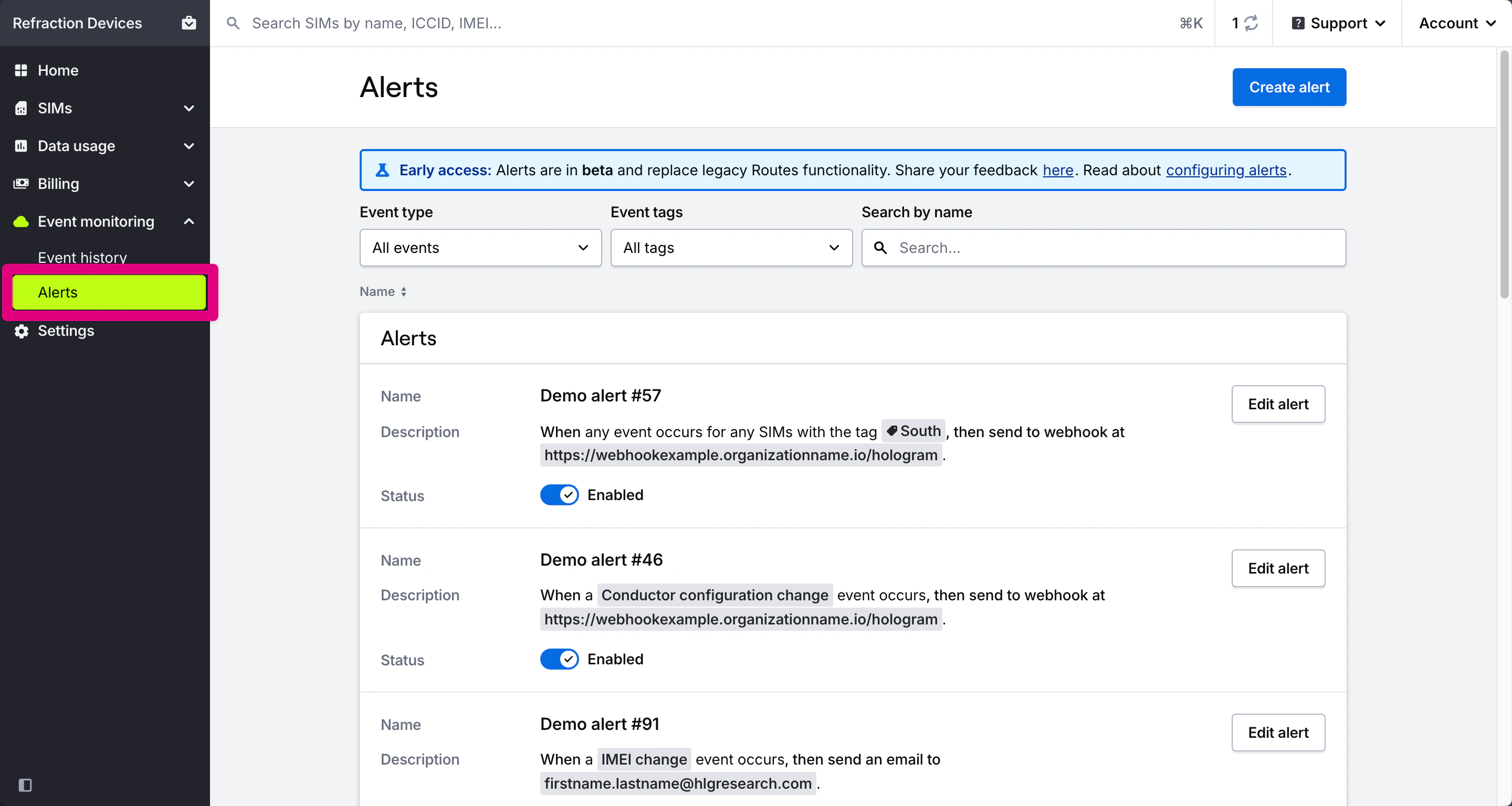
Alerts page displaying all alerts configured for your fleet

Learn how to create and manage alerts for your fleet

Learn about event tags and alert types

Improved transactions

Transactions have been improved and updated for all organizations. Organizations with network-level billing now have access to network-level transactions. Smaller organizations will see a new faster report with detailed, categorized transactions.

New activation and change plan flows

Activation has been updated to improve the overall experience and make it even easier to activate your SIMs. Activation has clearer steps and information about data plans, improved validation and checks to help you choose the right data plans for your SIMs, and has better awareness of which SIMs are being activated. It’s more reliable, faster, and easier to use.

Learn how to activate SIMs in your dashboard

Changing plans also supports more SIMs and better informs you of coverage limitations when trying to update SIMs in muliple different configurations.

Learn how to change data plans

Conductor alpha support

Conductor alpha support is now available in your Dashboard and via the API. Conductor SIM configuration events will appear in the Event monitoring section of your dashboard. You can create alerts for these events to automate devices using webhooks. To request alpha access or learn more, visit hologram.io/products/conductor.

Updated data plan and coverage details

Data plans pages have been updated to provide more information about different types of data plans, with better coverage and rate details for plans with network-level billing. Now it’s easier to understand exact coverage and costs for your fleet with complex rates and SIM configurations.

Learn about data plans and coverage

Find coverage and rates for a data plan

Reorganized settings pages

Settings pages have been reorganized to make it easier to find settings like pending invitations and default organization settings.

Learn how to update your account details

Learn how to set your default organization

Learn how to accept an invite to collaborate in an organization

90d usage reports for smaller organizations

Usage reports have been updated for organizations with fewer SIMs. These recent usage reports are limited to the last 3 months of data (plus the current month) to match our standard API limits. Organizations with an active contract or over $100 USD in monthly spending will have access to full historical usage reporting.

Read the full release notes

Log in and see what's new