

What is IMEI and IMEI TAC?
Every cellular connected device has an IMEI (International Mobile Equipment Identity) number, which is used to identify the hardware that is being connected to the network. This is very useful when it comes to mapping SIMs to specific devices and detecting when a SIM is being used in a new device. Hologram can always trace a SIM using your dashboard and determine what device it’s being used in by viewing session data as described in this guide. The Type Allocation Code (TAC) is the initial eight-digit portion of the IMEI, and it indicates the manufacturer, make, and model of the device. An_IMEI_TAC_CHANGE_ message means that the new IMEI has a completely different manufacturer, make, or model than the old IMEI. An _IMEI_CHANGE_ message indicates that the new device has the same manufacturer, make, and model as the old device.
How does Hologram detect IMEI and IMEI TAC changes?
Hologram has built-in IMEI detection that keeps track of the IMEI of the device used with the SIM as provided by networks during data sessions. These events are tracked and recorded in the Event monitoring section of your dashboard, and are created: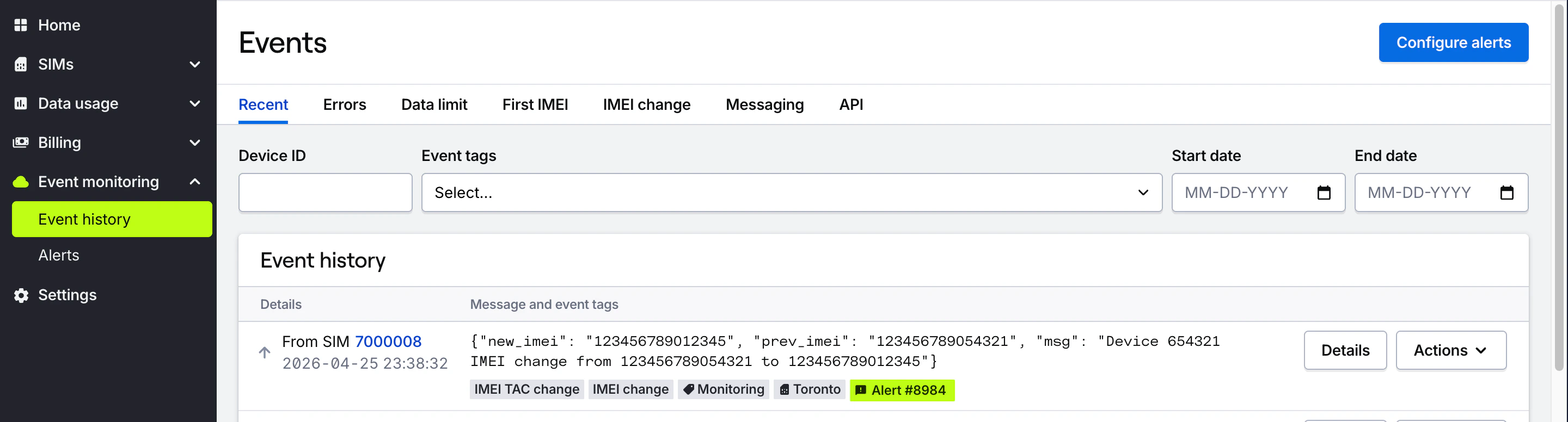
- When a SIM is first connected by sending a message and attaching an
_IMEI_FIRST_tag. - When a SIM is connected using a different IMEI compared to the previous session by sending a message describing the change and attaching an
_IMEI_CHANGE_tag. - When a SIM is connected using a different modem model (different IMEI and TAC) by sending a message describing the change and attaching an
_IMEI_TAC_CHANGE_tag.
How I get notified when a SIM is moved to a new device?
You can create a new Alert to receive notifications about IMEI changes.1
Navigate to the Alerts page
Navigate to the Event monitoring section in the main menu and open the Alerts page. Press the Create alert button in the top right corner of the page.
2
Create a new alert
In the list of event types that appears, you can choose to subscribe to “First IMEI recognized” or “Hardware change (IMEI or TAC changed)” events.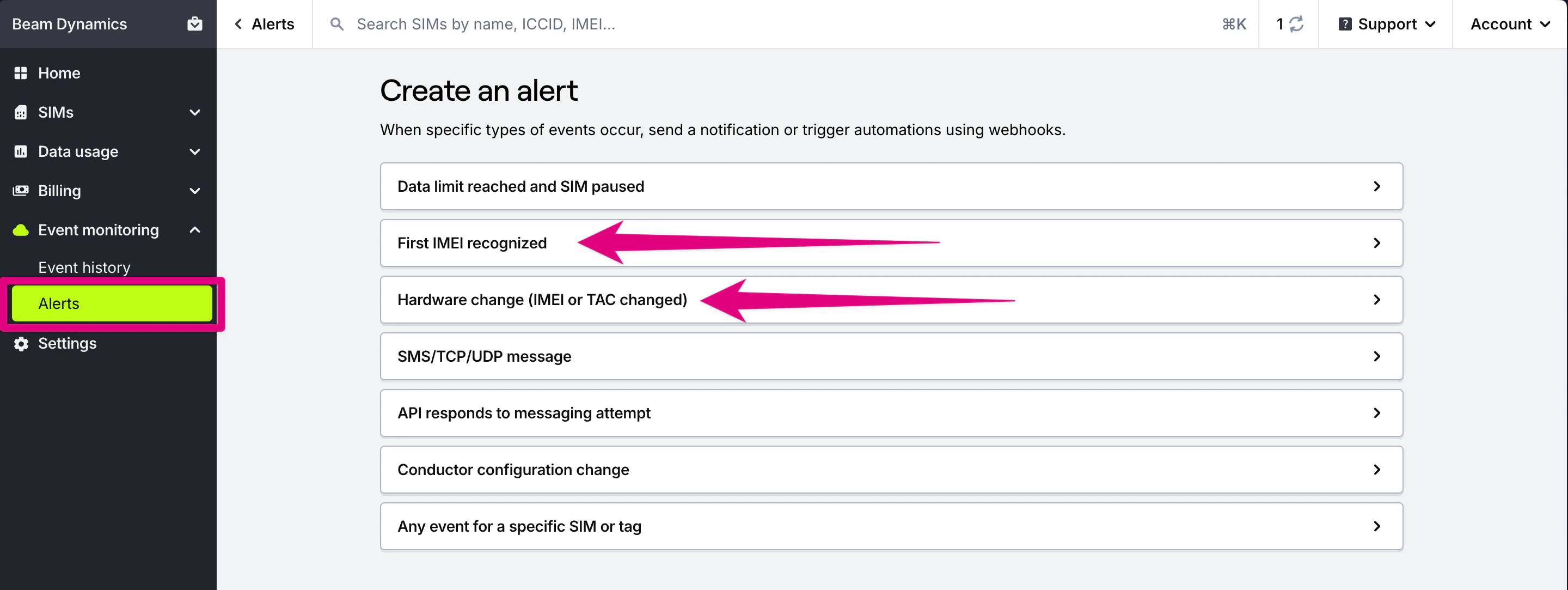
3
Configure the alert
Configure the notification settings to send notifications to email, SMS, or webhooks when specific events occur.