

SIM location information
Tower location provides region, country, latitude, and longitude information that is useful for troubleshooting and reporting. The data provided is based on the network’s tower location records, so accuracy varies by network. For dense cities the location of the SIM should be within a 1 kilometer (0.62 mile) radius. For more accurate location information or any real-time location-sensitive application, use a GPS module. You can also look up a device’s location using the REST API.Location data for a single SIM
SIM location can be found in two locations within a SIM’s details page. First open a SIM from the SIMs section in your dashboard or using search.1
Recent connection information
In the Status tab, location information — if known — will display in the Last connection and session details along with a map. The tower location coordinates links to Google Maps.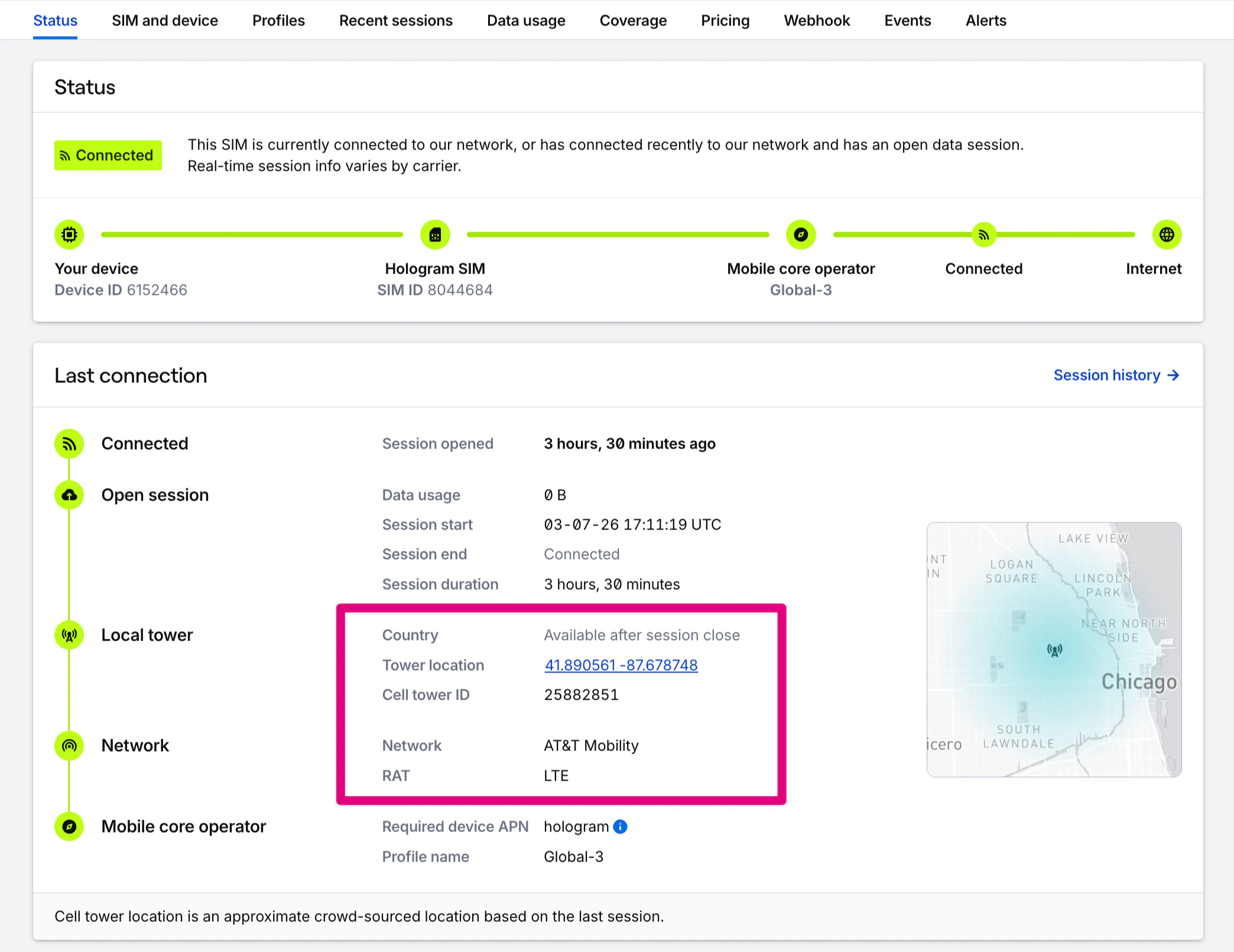
2
Historical location information
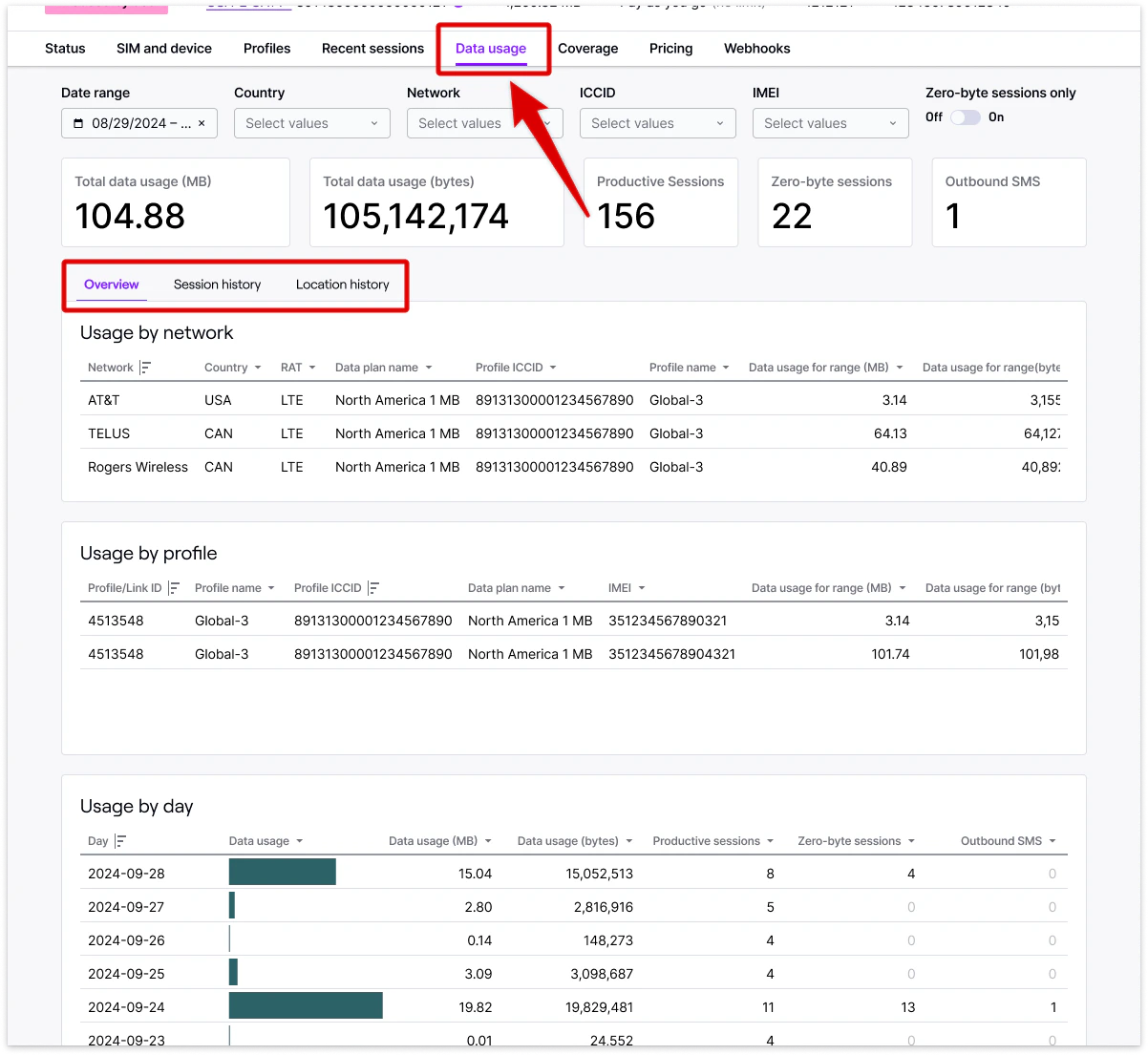
Historical location information for a SIM can be found by opening the Data usage tab in the Usage by network card.
Location data across your fleet
Historical location information across your entire fleet is available at the session level by downloading the Data usage by session report found under the Usage section of your dashboard. Country, tower ID, and approximate latitude and longitude—if known—will be listed for all sessions in which we have them. Please note the disclaimer at the top of this page for location availability.1
Data usage by network and country
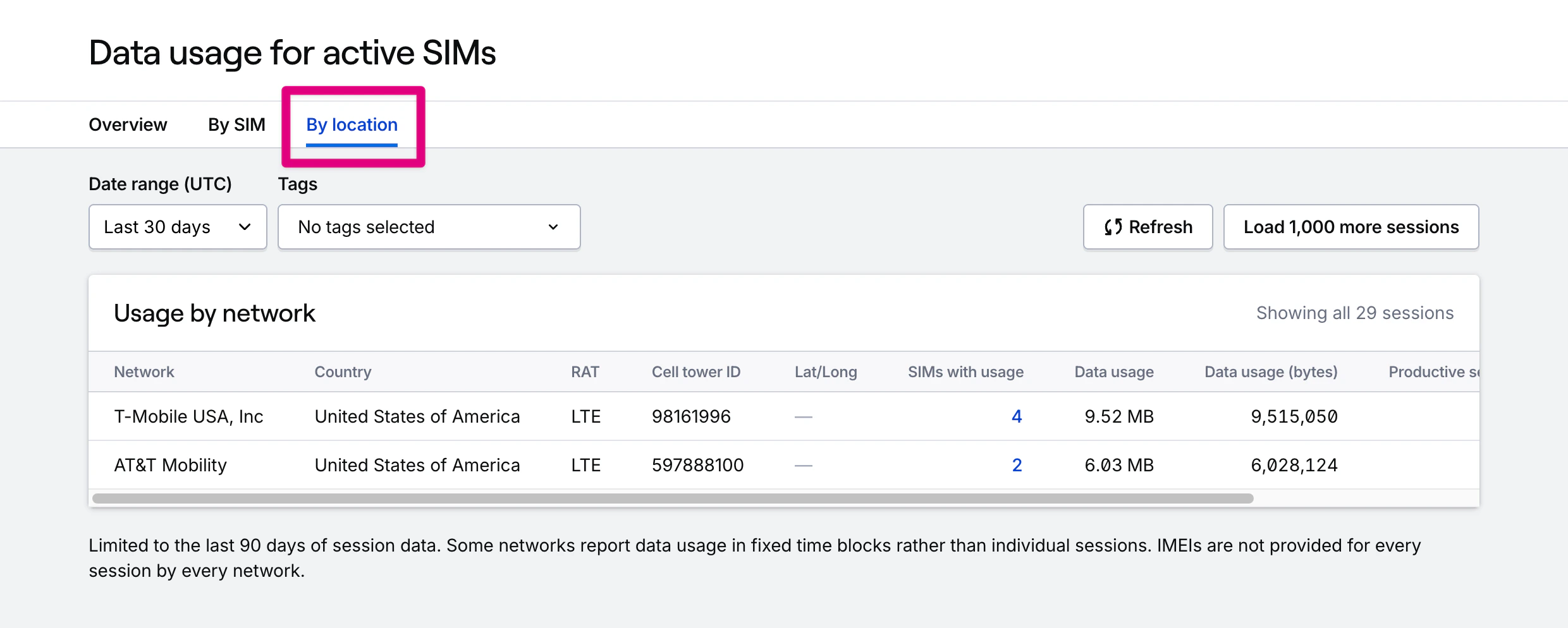
If you have access to full historical reporting, you can find location information in two places. The By SIM tab will let you find usage by SIM, grouped by network. The By location tab will additionally break down usage by country and tower ID, with a map of approximate tower location.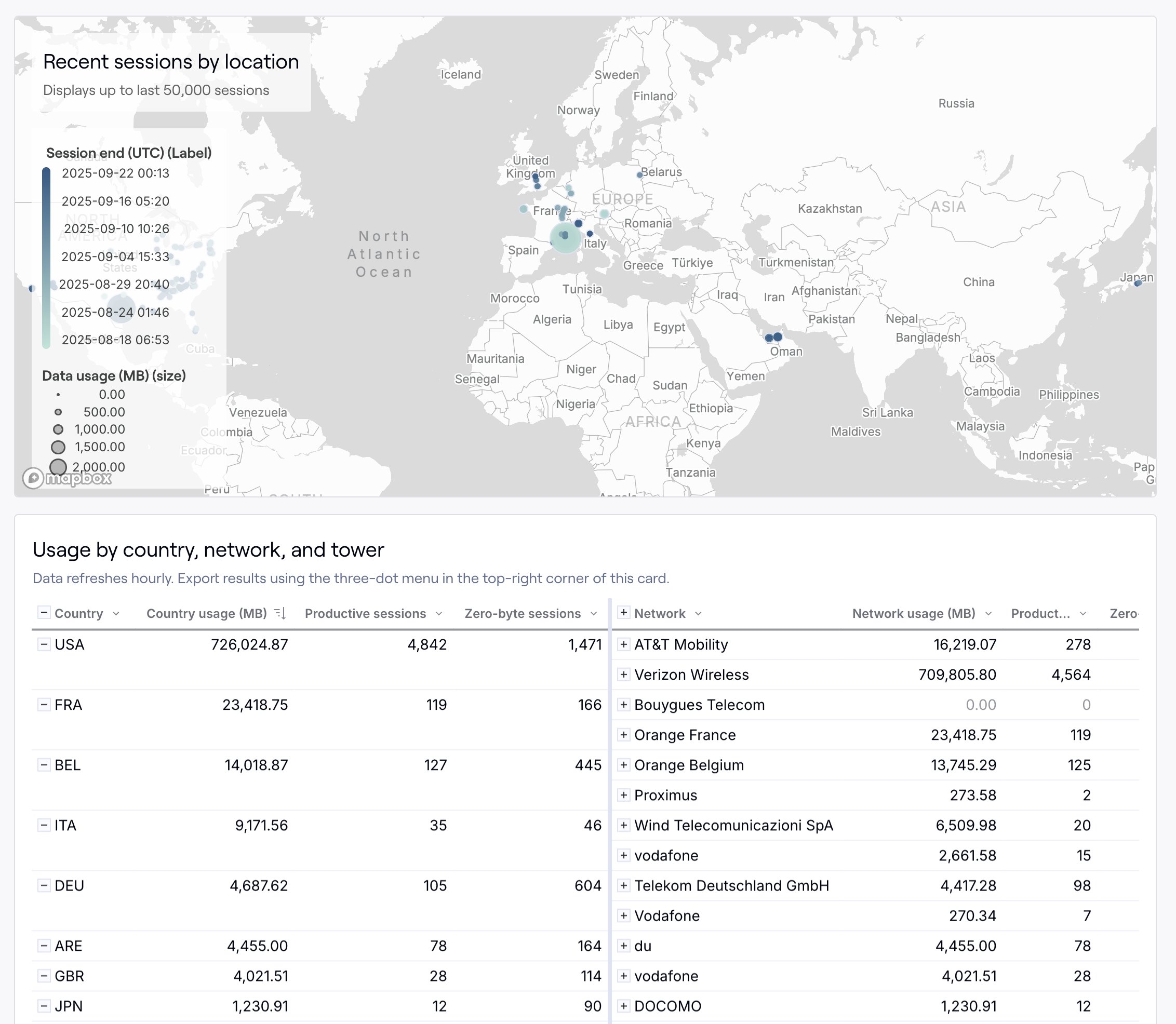
2
Data usage by session
If you have access to full historical reporting, you can find location information at the session level in the By session tab. Each session has network, country, tower ID, and approximate latitude and longitude coordinates for the tower location.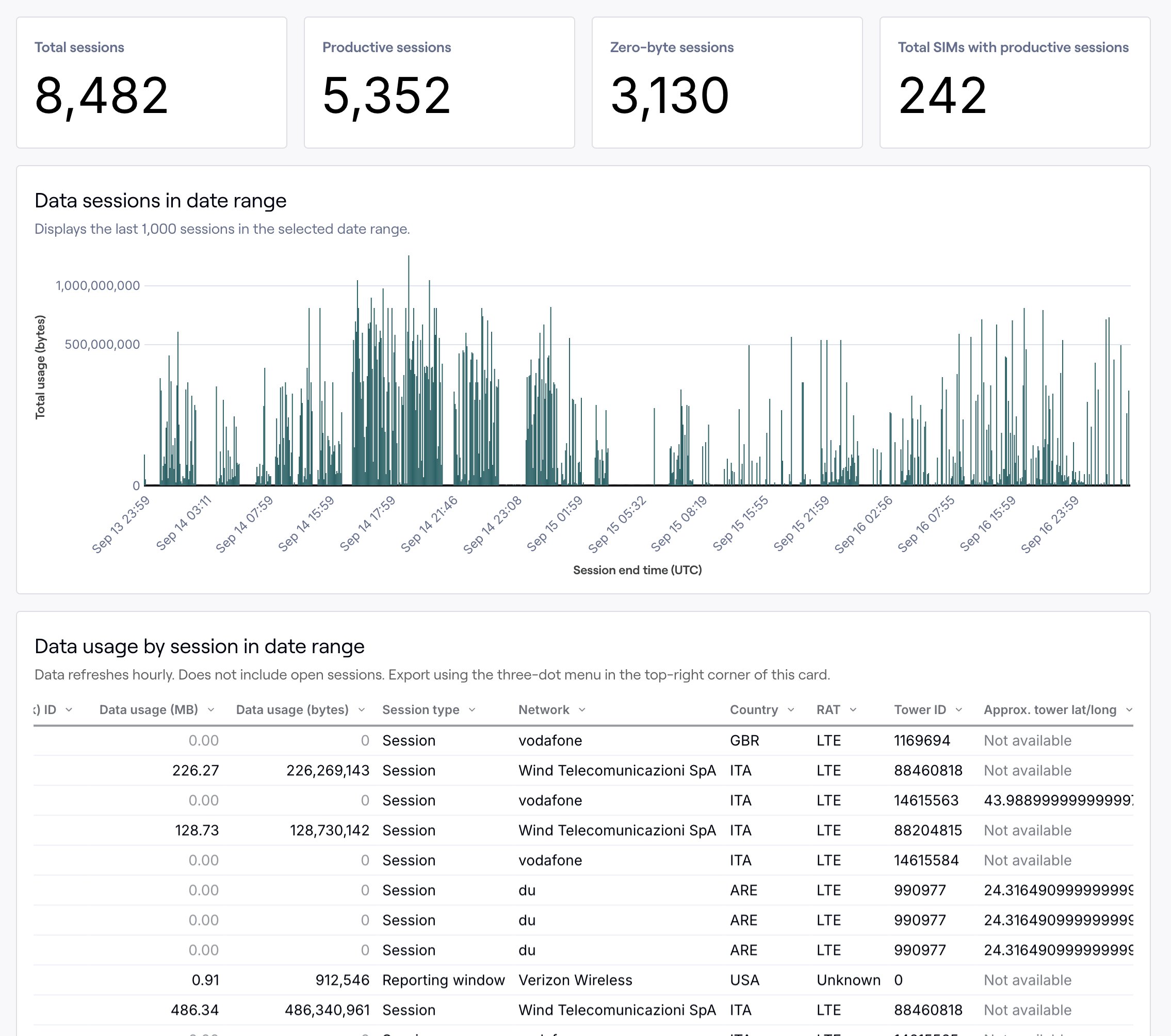
Restrict access: Contracted organizations can optionally remove location data access. Learn more by contacting our sales team.