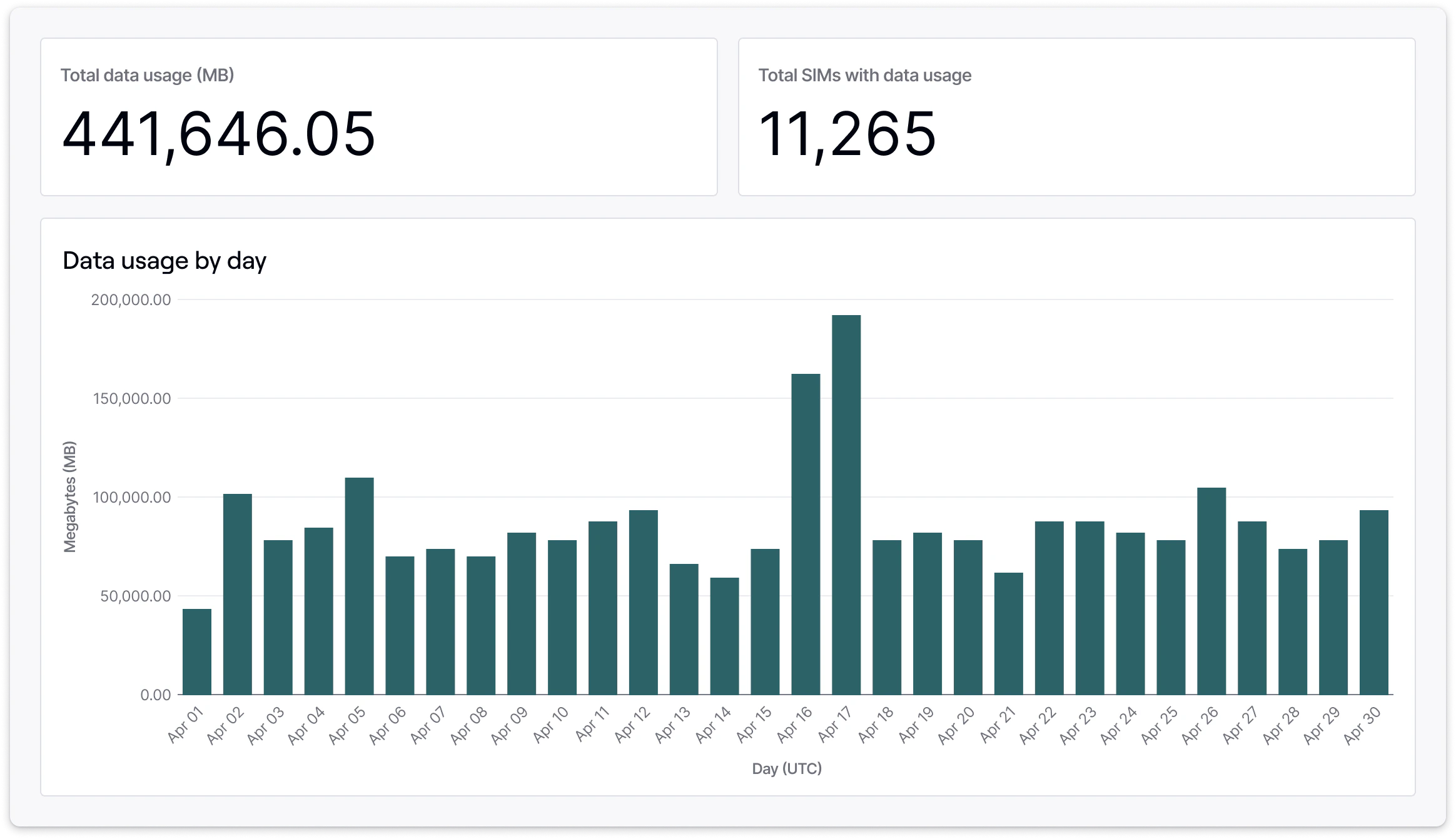
Managing data usage across fleets, device types, deployment locations, customers, and users can be challenging. Hologram’s Dashboard gives you flexibility to set allowed data usage and configure your SIMs to only use data how and when you choose.
Fleet data usage management overview in dashboard

First, learn your devices’ data usage behavior

Use our detailed data usage reporting to keep tabs on exactly how much data your SIMs are using on a regular basis. You might track data usage across your entire organization, or have many fleets deployed across the world each with their own unique data usage behavior. Depending on how each fleet uses data, you may want to change some SIMs to a different data plan, set data usage limits, or pause and resume data usage for seasonal deployments.

Learn more about data usage reporting in your dashboard

Choose the right data plan

Hologram’s standard global data plan lets you deploy your devices anywhere in the world with a single flat rate. If you have more specific needs, you can work with our sales team to set up custom data plans with costs optimized on coverage areas to help you get the best rate for wherever you deploy your SIMs.

Learn more about data plans

Pause and resume data usage

You can pause or resume data usage for your SIMs at any time using your dashboard or the REST API. Pausing data usage is a useful way to limit a device’s data usage manually. We find it to be helpful when managing seasonal deployments, to limit data usage while troubleshooting a device, to limit customer access to data, and generally as a way to prevent unanticipated data usage when you don’t want your devices to connect to the internet.

Learn more about pausing and resuming data usage

Set data usage limits

Data usage limits prevent a SIM from using more data than you expect. When paired with a data plan, this helps you limit your data usage to exact amounts to help you stick to budgets, limit usage in case of SIM theft, prevent unanticipated usage from device configuration errors or testing, or to have peace of mind that you won’t run up unexpected bills if you don’t yet know how your devices will use data.

Learn more about setting data usage limits

Limit costs during manufacturing and pre-deployment testing

Hologram Test Mode can help you limit SIMs’ monthly recurring charges when working with manufacturing partners that only need to use small amounts of data for connectivity testing. Your SIMs can use 100 KB of free data or 10 outbound SMS messages before automatically activating once they’re deployed.

Learn more about pre-deployment testing with Test Mode

Contact our sales team

Deactivate SIMs you’re no longer using

You may find that you have SIMs you no longer need. Devices may fall out of use, or become stolen, discarded, or broken. Connectivity needs may have changed. Or, you might have SIMs that you want to otherwise permanently disable. After you identify the SIMs you can permanently deactivate those SIMs using your dashboard or the REST API. Deactivation is a permanent and irreversible process, but that SIM will no longer be able to use data and will no longer incur any charges.

Learn more about deactivating SIMs