

1
Check the SIM status
Check that the SIM status in your dashboard is either Ready or Connected. If it is not, then your SIM has not been properly activated.
2
Power your device off and remove the SIM
3
Confirm the SIM is inserted properly
Re-insert the SIM. Confirm your SIM is inserted properly. Make sure the notch on your SIM matches the location of the notch on the printed hardware guide for your device. Check that the circuit contacts of the SIM slot touch the gold plating on the SIM. Lastly, confirm that the SIM is making good contact with your device. SIMs should fit snugly inside your device. If you feel like your SIM is too loose, try inserting a thin and flat object, such as a piece of paper, between your SIM and the top of the SIM holder (not between the metal contacts). This can be the result of manufacturing or assembly variance of the SIM holder parts on circuit boards.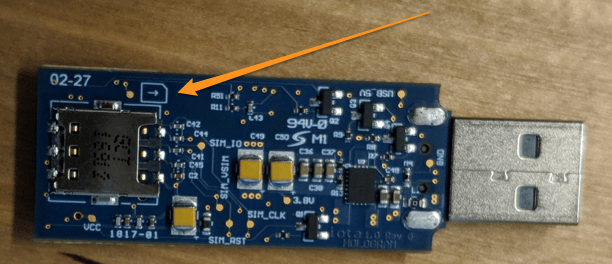
4
Check the coverage
Confirm that you are in a location that receives cell service. Check that Hologram supports available networks and radio access technologies in your area by checking our coverage page.
5
Power on the device
6
Check the data roaming settings
Check any data roaming settings on your device and make sure they are enabled (no additional charges will be incurred). This should be documented in your device’s manual. Roaming is what allows us to connect to 550+ networks around the world.
7
Check if APN is set correctly
Confirm that your device’s APN is set to “hologram”.
8
Send an SMS message to the device
Send an SMS message to your device from the Dashboard’s messaging tool and confirm that you can receive SMS messages sent. SMS is a separate network that does not require our APN. Checking this will help us determine if we are registering to the circuit switched cell towers successfully.
9
Try receiving and transmitting data from your device
10
Check for hardware issues
If you are still having issues and you have access to an unlocked phone, place the SIM into the unlocked phone. If the phone is able to receive SMS and transmit data, there is likely a hardware issue.
11
Check for network outages
You can also check our status page to see if there are any reported outages.