

Requirements
- A Linux device with a cellular modem and an active Hologram SIM.
- ModemManager installed, which provides the
mmclicommand. - Access to your Hologram dashboard for the SIM you are testing.
- Permission to run
sudoon the device, which is required to create, send, and delete messages.
Verify the modem is connected
Before testing SMS, confirm the modem is attached and connected on LTE:- Status > state: should be
connectedorenabled - Status > access tech: should be
lte(in regions that still support 2G or 3G,gsm-umtsor others may also work) - 3GPP > operator name: should be
Hologramor the actual mobile network operator - 3GPP > registration: should be
roamingorhome - 3GPP EPS > ue mode of operation: should be
csps-2(combined CS/PS, which is required for SMS) - 3GPP > packet service state: should be
attached
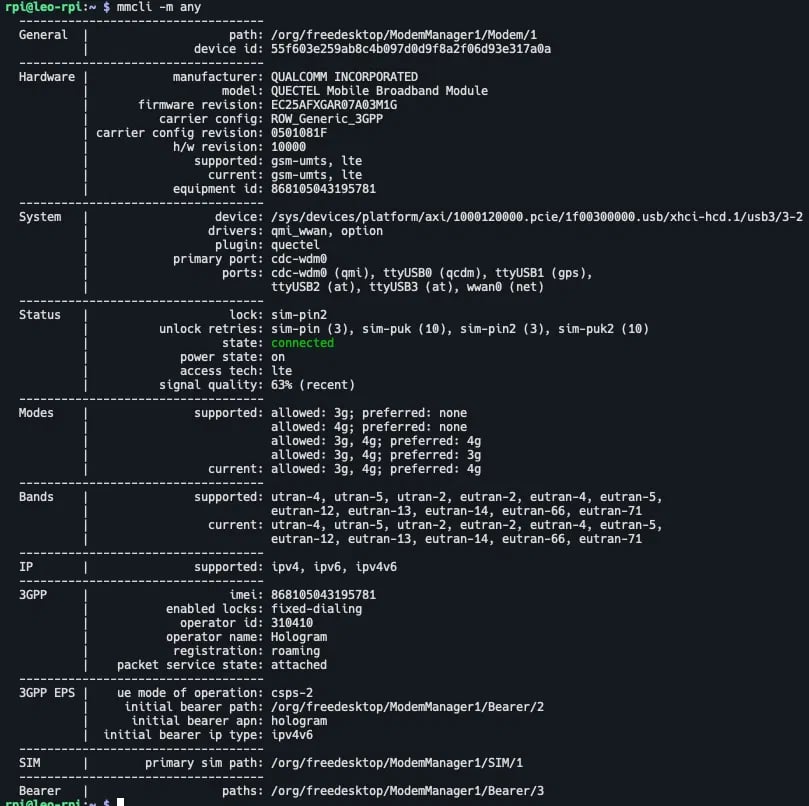
Send an SMS message to the device from your dashboard
1
Send a test message
In your dashboard, navigate to the SIM and use the Manage SIM menu to Send message to SIM and send a test message to the SIM.
2
Confirm the events in Event history
After sending, open the Events tab for the SIM to view event history. You should see two events: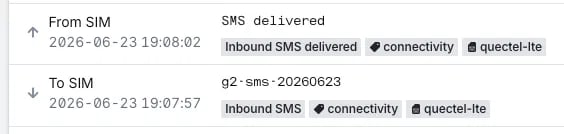
- The message sent to the device, “To SIM”. In the example below, the message body is
g2-sms-20260623with an event type of Inbound SMS (_SMS_DT_event tag). - A delivery confirmation sent back to Hologram, “From SIM”. In the example below, the message body is
SMSwith an event type of Inbound SMS delivered (_SMS_DT_DELIVERED_event tag).
Verify the message was received by the device
List the messages stored on the modem:text field contains the message body you entered.
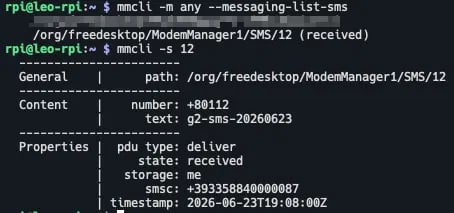
Create and send an SMS message from the device
1
Create the message in modem memory
2
Verify, send, and confirm
Verify the message was created, send it, then confirm it was sent:After sending, 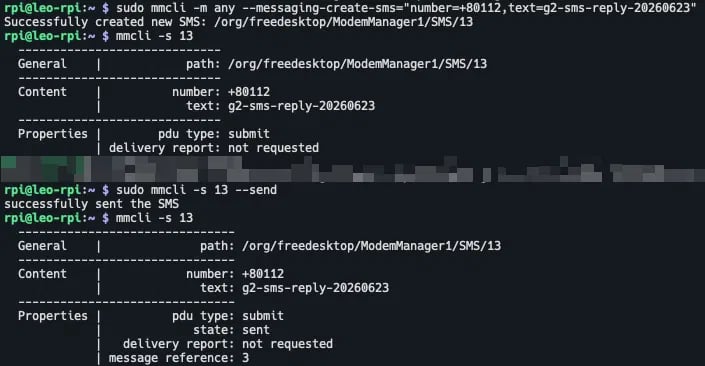
state changes from submit to sent and a message reference number is present.Verify the message was received by the SIM
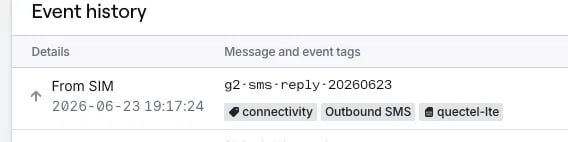
In your dashboard, open the Events tab for the SIM to view event history. You should see a new event tagged Outbound SMS (_SMS_DO_ event tag) with the message body matching what you sent.
Delete messages to free up modem memory (optional)
List the current messages: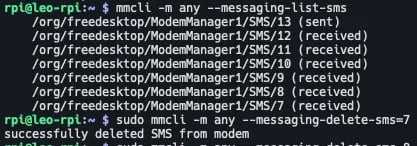
Danger: Do not use
mmcli -s <index> --delete. This syntax is broken in newer versions of ModemManager and returns error: no actions specified. Always use --messaging-delete-sms=<index> on the modem (-m) instead.