

What actions can I take from a SIM’s details page?
Every action you can take on a single SIM can be found in the page header. You can take actions on a single SIM by finding the SIM using search or from the SIMs pages and opening the SIM’s details page.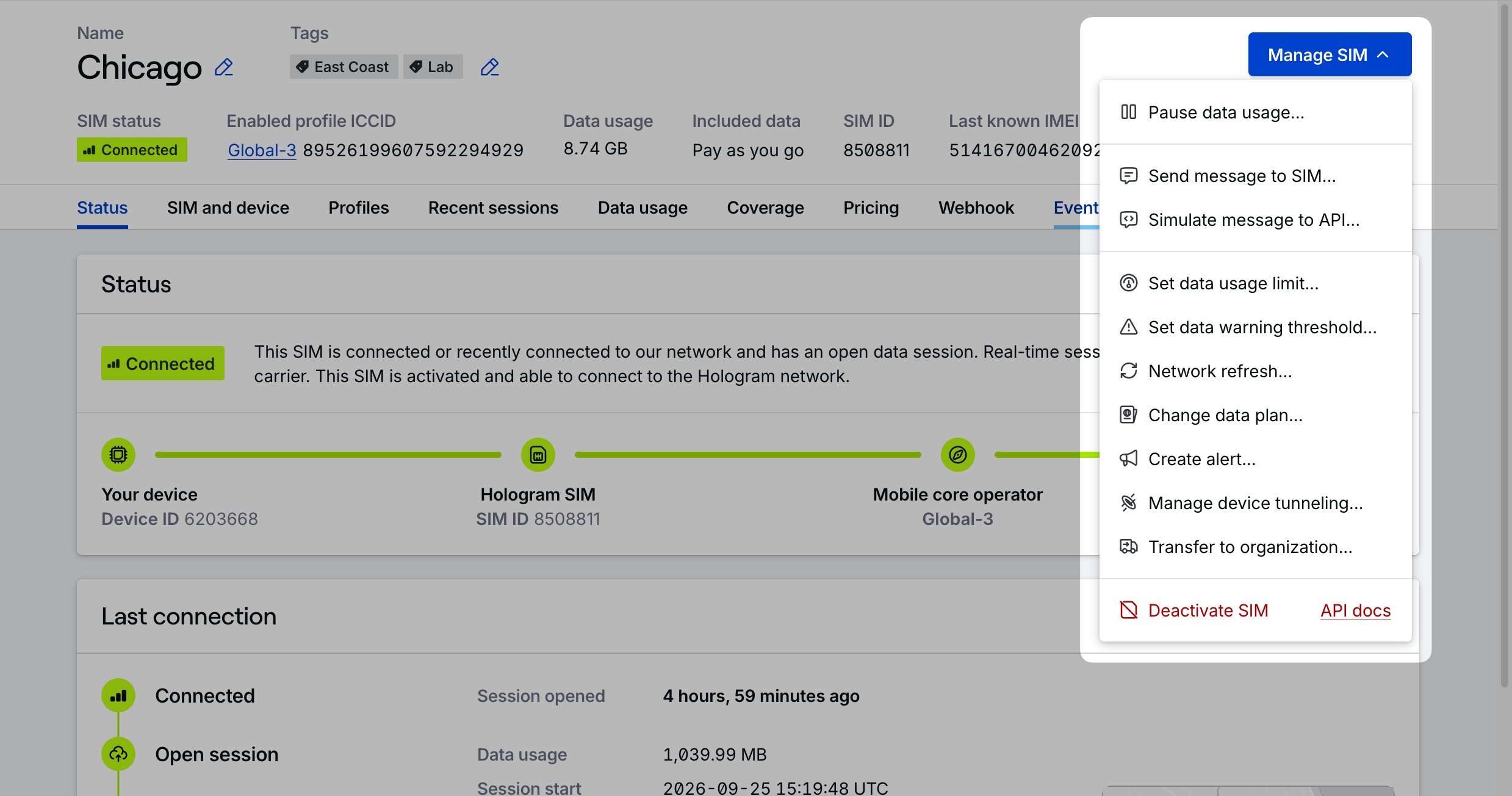
Note: Some actions may not be available depending on your SIM’s current status (active, in testing, or deactivated), your user role permissions, or features available to your organization.
Available single SIM actions
Pause or resume data usage
Prevent or allow data usage for the SIM.
Switch profiles
For SIMs with fallback enabled and multiple installed profiles, switch this SIM to a different profile.
Tag SIMs
Add, edit, and delete tags from the SIM using the tags field in the header.
Rename SIM
Rename a SIM by clicking on the name in the header.
Send message to SIM
Send an SMS message to the SIM, or send a TCP or UDP cloud message to the SIM.
Change data plan
Move this SIM to a different data plan.
Set data usage limits
Set a new data limit for this SIM.
Set usage warning threshold
Set a new data warning threshold for this SIM.
Network refresh
End the SIM’s current data session and reconnect it to the first available network, like a remote reboot.
Enable or disable Spacebridge tunneling
Configure secure device tunneling settings for this SIM.
Transfer to another organization
Move this SIM to a different organization.
End testing and activate SIM
Activate Test Mode SIMs out of pre-deployment testing before their testing has completed.
Deactivate SIM
Permanently deactivate this SIM and remove it from the Hologram network.
Actions available by SIM status
Limited access: Some functionality in your dashboard is restricted to roles with access.