

Note: Event monitoring replaces the Activity console drawer that was previously available in the bottom of your dashboard. Events for a single SIM are now tracked in the Events tab when viewing a SIM’s details page.
How to view event history
Navigate to the Event monitoring section in the main menu and open the Event history page.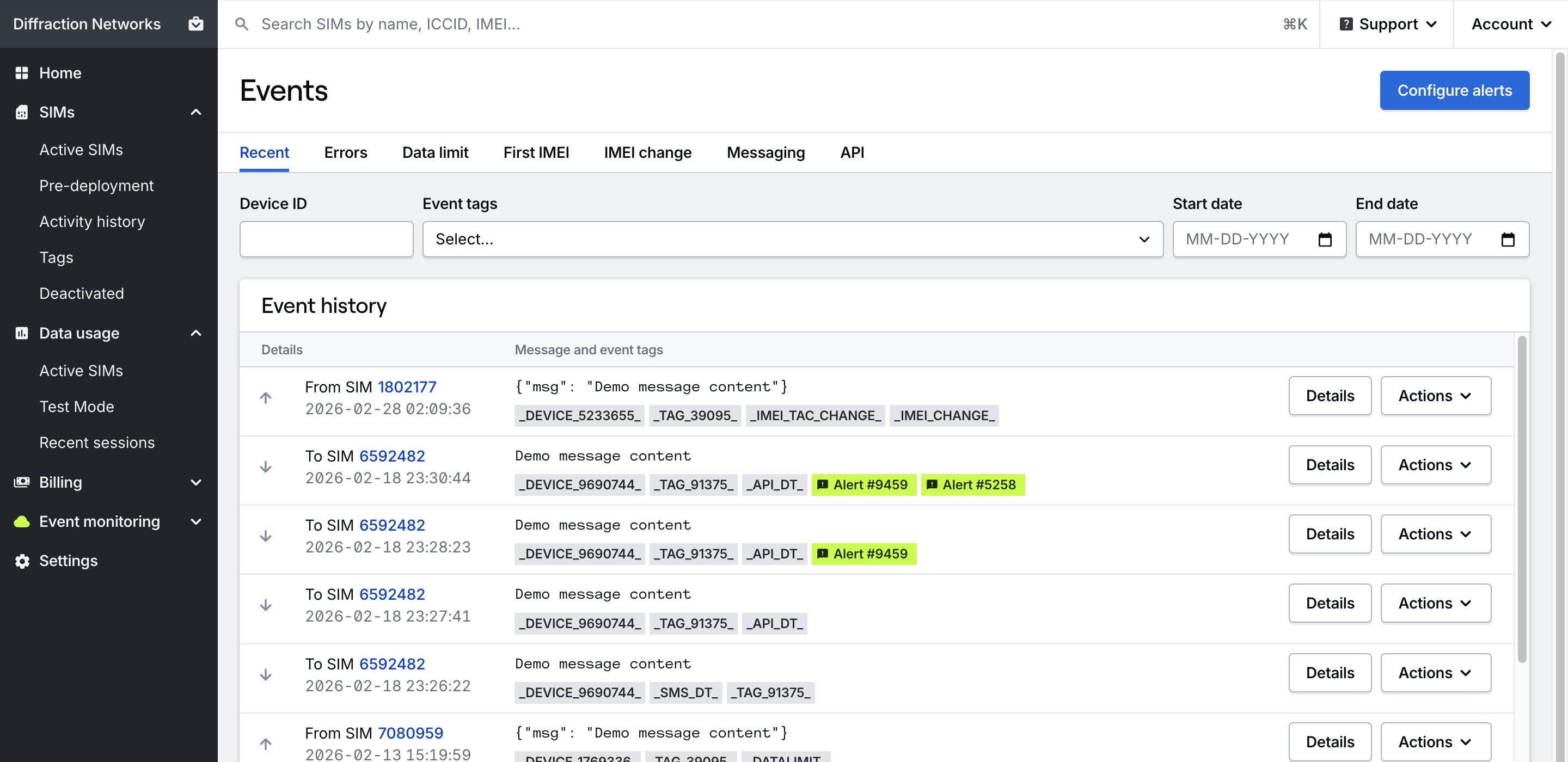
- Inbound or outbound: Whether the event was inbound to a SIM or outbound from it.
- SIM ID: The ID of the SIM that triggered the event.
- Event date: The date and time in UTC that the event occurred.
- Message data: The message data or JSON payload that was passed when the event occurred.
- Event tags: Any event tags associated with the event. Event tags determine the type of event that occurred, the device affected by the event, and any SIM tags that were attached to SIMs affected by the event.
- Errors: Any errors that occurred during the event.
How to view specific types of events
The tabs at the top of the page allow you to filter events by type, including:- Recent: Displays all events created in the Hologram Cloud across your fleet, sorted by most recent first.
- Errors: Displays all events where an error occurred during the event.
- Data limits: Displays all events where a data limit was reached for a SIM and the SIM was paused.
- First IMEI: Displays all events where an IMEI was detected for the first time for a SIM.
- IMEI changes: Displays all events where the IMEI or IMEI TAC of a SIM changed between data sessions.
- Messaging: Displays all events where a message was sent or received by a SIM, including SMS, and TCP or UDP cloud messages
- API: Displays any API responses to events, such as messages that failed to deliver to a SIM.
Related guides
About alerts and event monitoring
Read about how alerts work, event tags, and the types of events you can subscribe to.