

state or networkState field value. This is used to indicate the state of the SIM with regards to the network.
SIMs in your dashboard are organized by these statuses within the SIMs pages in the main menu, and when viewing a single SIM’s details page.
Some important status terms to note:
- A SIM that the system paused automatically (for a reached data limit, SMS limit, or low balance) shows as Paused by system.
- A SIM your team paused manually and is still billed a Monthly Recurring Charge (MRC) shows as Paused by user. This is often known as a “suspended” SIM.
- Permanently stopping a SIM and its charges is deactivation, a separate action.
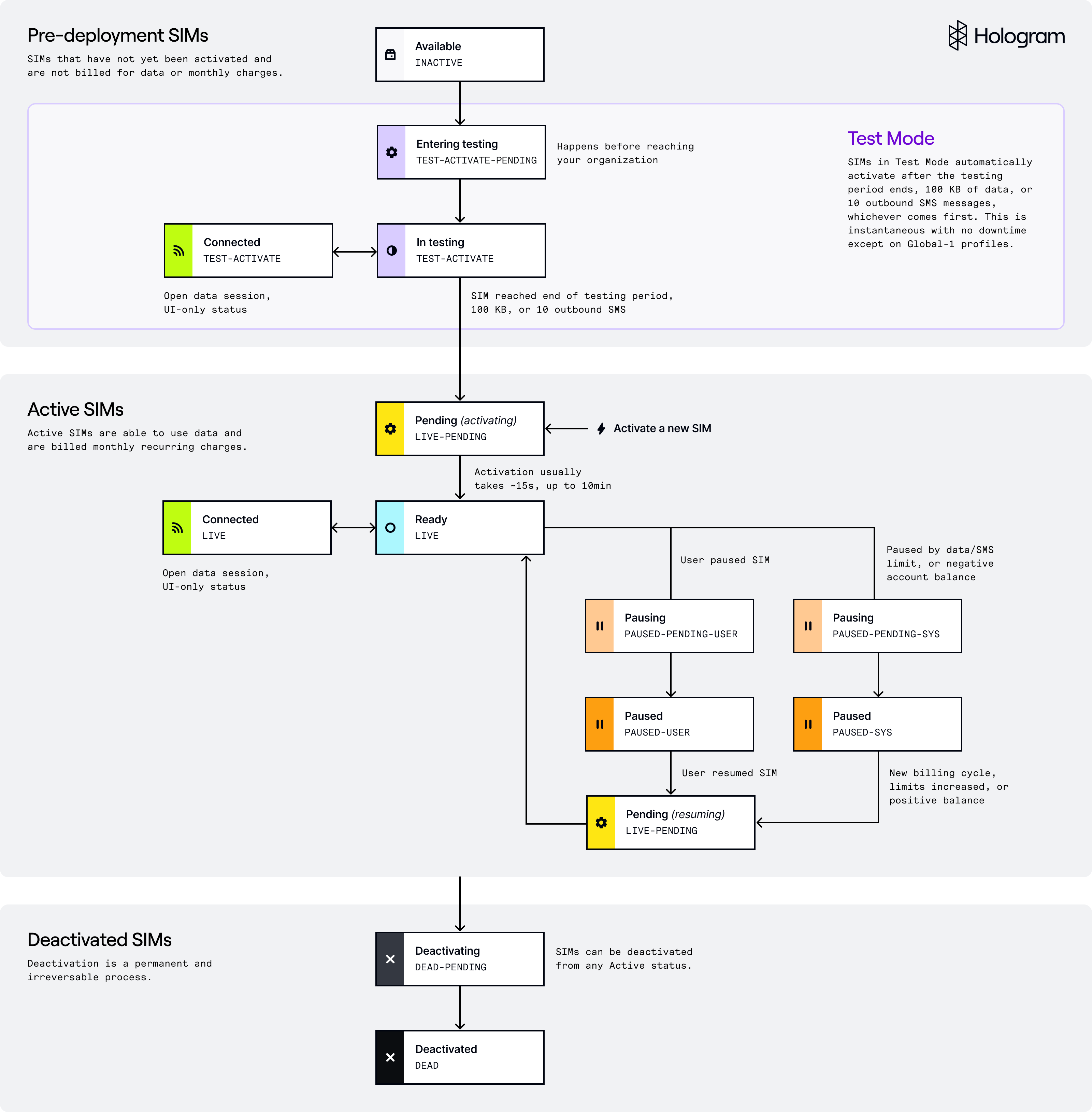
Where to find SIM statuses
In your dashboard, SIM statuses are listed on the SIMs page views in the SIM status column. You can filter by SIM status using the Filter pane on the left-hand side of the page. Hover over any status in the table for a more detailed description of that status.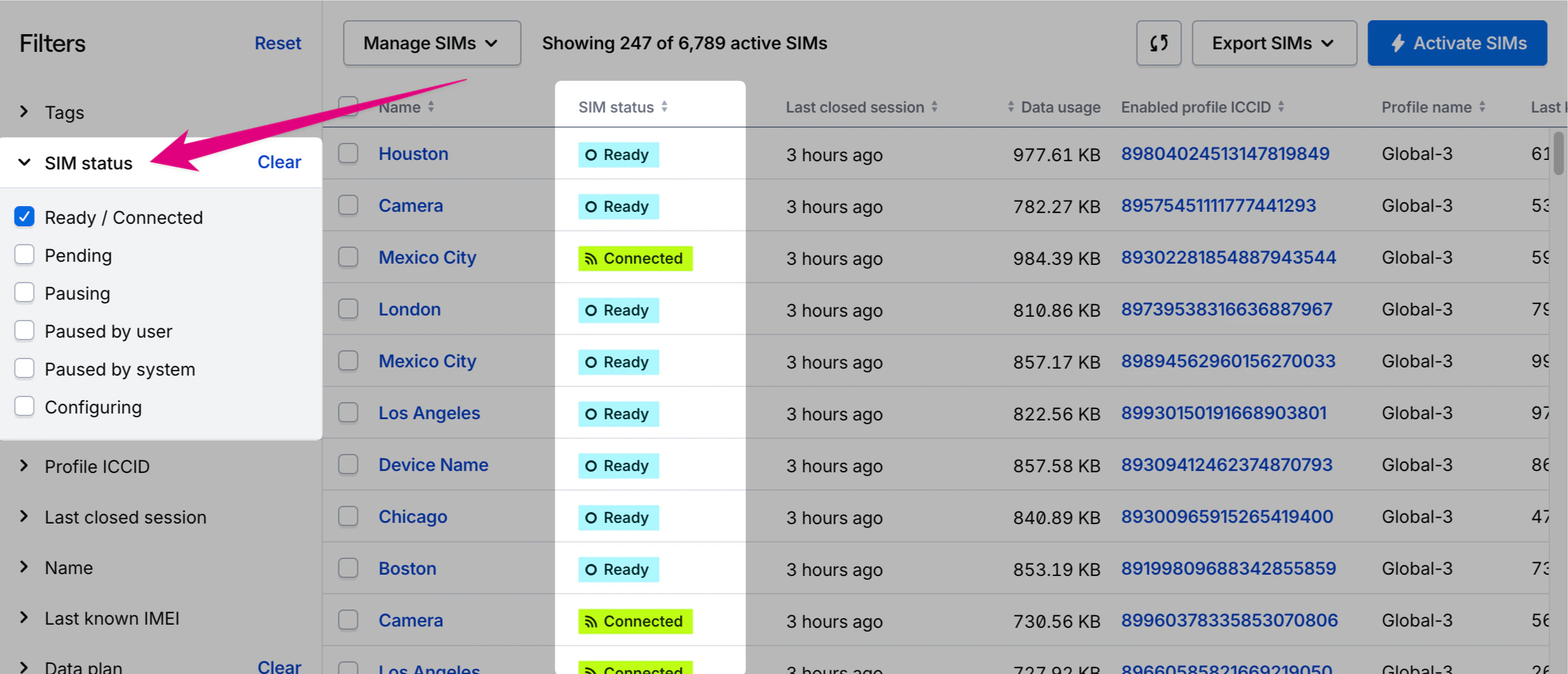
networkState of the enabled profile, if the SIM has connected through a device, and if a connection has been made to a network via a data session. The networkState field value is listed under the Profile section of the Status overview.
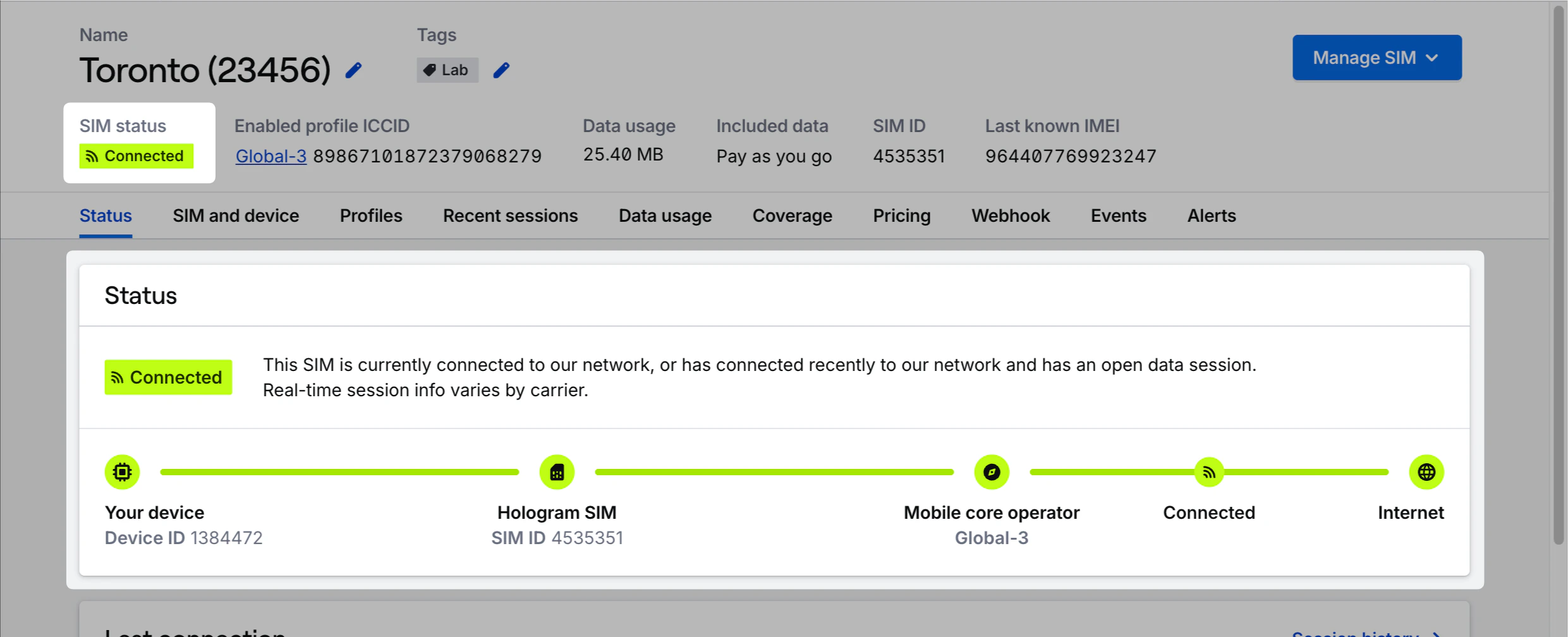
Connected SIMs
Connected is an indicator that shows when a SIM has an open data session. It is not a distinct status or network state and can happen across most network states. A Ready SIM that is connected shows a single Connected status. Other statuses, such as In testing, show a separate Connected indicator next to the status. In some cases, profiles other than the enabled profile may be connected, for example if the SIM has fallback enabled and one profile sends reporting windows instead of data sessions.All SIM statuses and states
Active SIM statuses
SIMs in the following statuses are generally referred to as “Active SIMs” — SIMs that are connected to networks through our carrier partners, are able to use data, and are charged a monthly recurring charge. Please know that state changes do not interrupt active data sessions. This includes the “paused” SIM statuses. If a device is in a active data session, a request to pause a SIM in the Hologram portal will not interrupt that data session.Note: The Connected indicator displays if the SIM’s current session is assumed to be “open,” meaning the session has no end time. There is no Connected state in the REST API, as the status is derived from the
lastsession’s active parameter. Last active times in dashboard and usage reports do not include open sessions.Pre-deployment SIM statuses
Note: Legacy configuration states that are no longer used for new SIMs include
TEST-AUTOACTIVATE-PENDING, TEST-HIBERNATE-PENDING, TEST-AUTOACTIVATE, TEST-HIBERNATE, and INACTIVE-TESTED These states may appear for in some organizations for some older SIMs.