

Limited access: Learn more about Test Mode and streamline your deployments by contacting our sales team.
View SIM status breakdowns
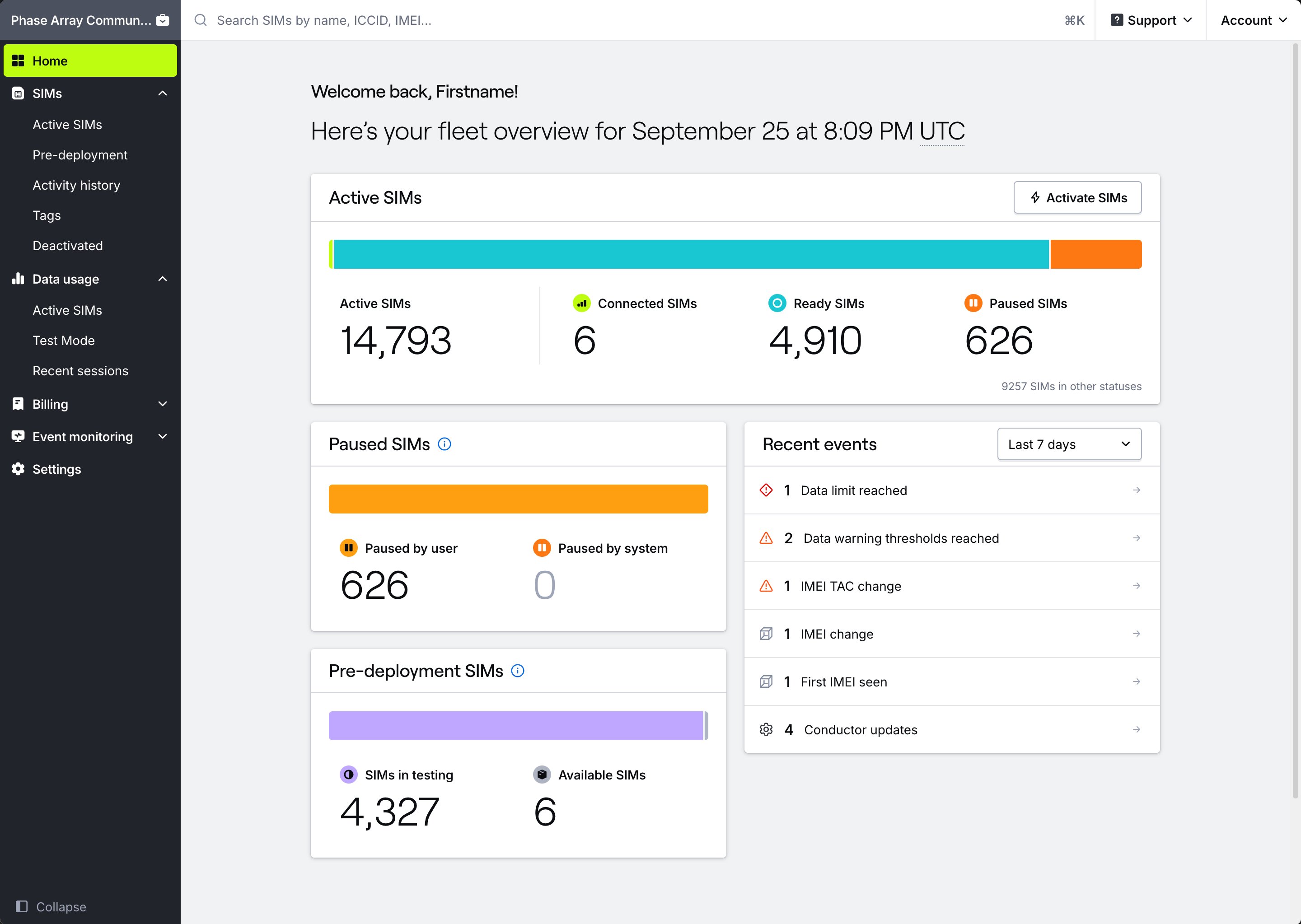
Your home page provides an at-a-glance summary of your fleet’s current status. Here you’ll find the total count of the most important device status types in your fleet — Active, Connected, Ready, and Paused. Click a status to navigate to the SIMs page with the table pre-filtered based on the status you chose. This gives you the ability to see the full device status breakdown at-a-glance in your homepage, and easily drill down one layer deeper for device-level data with one click. For example, clicking “Ready” SIMs takes you to the Active SIMs page with the Ready status checked in the SIM status filter. Clicking “Connected” SIMs opens the same page with the Connected filter checked instead. You can then filter further or take action on specific SIMs. Any SIM can be “Connected”, so this count overlaps with other counts on the page. A Ready SIM with an open data session is counted in both Ready and Connected.How are SIM statuses defined?
Below you will find the definitions of how the Active device SIM count is calculated in the homepage, and what each status means in both the dashboard and the API:Note: There are no Pending or temporary states included on the Home page in the Hologram Dashboard. This is to avoid SIM state counts overlapping, since these states have a relatively short lifespan before switching into another state. Any additional statuses display in a small count in the bottom-right of the Active SIMs card.
How are Test Mode SIM statuses defined?
Below you will find the definitions of how the Test Mode Device SIM count is calculated in the homepage, and what each status means in both the dashboard and the API. The two Test Mode device SIM counts are calculated, or made up of the following SIM state values in both the dashboard and the API. SIMs being configured for Test Mode in the “Entering testing” status (TEST-ACTIVATE-PENDING) are not displayed on the Home page.
Note: There are no Deactivated, Deactivating, or Test Mode Pending SIM statuses included on the Home page.