What information is available in the page header?
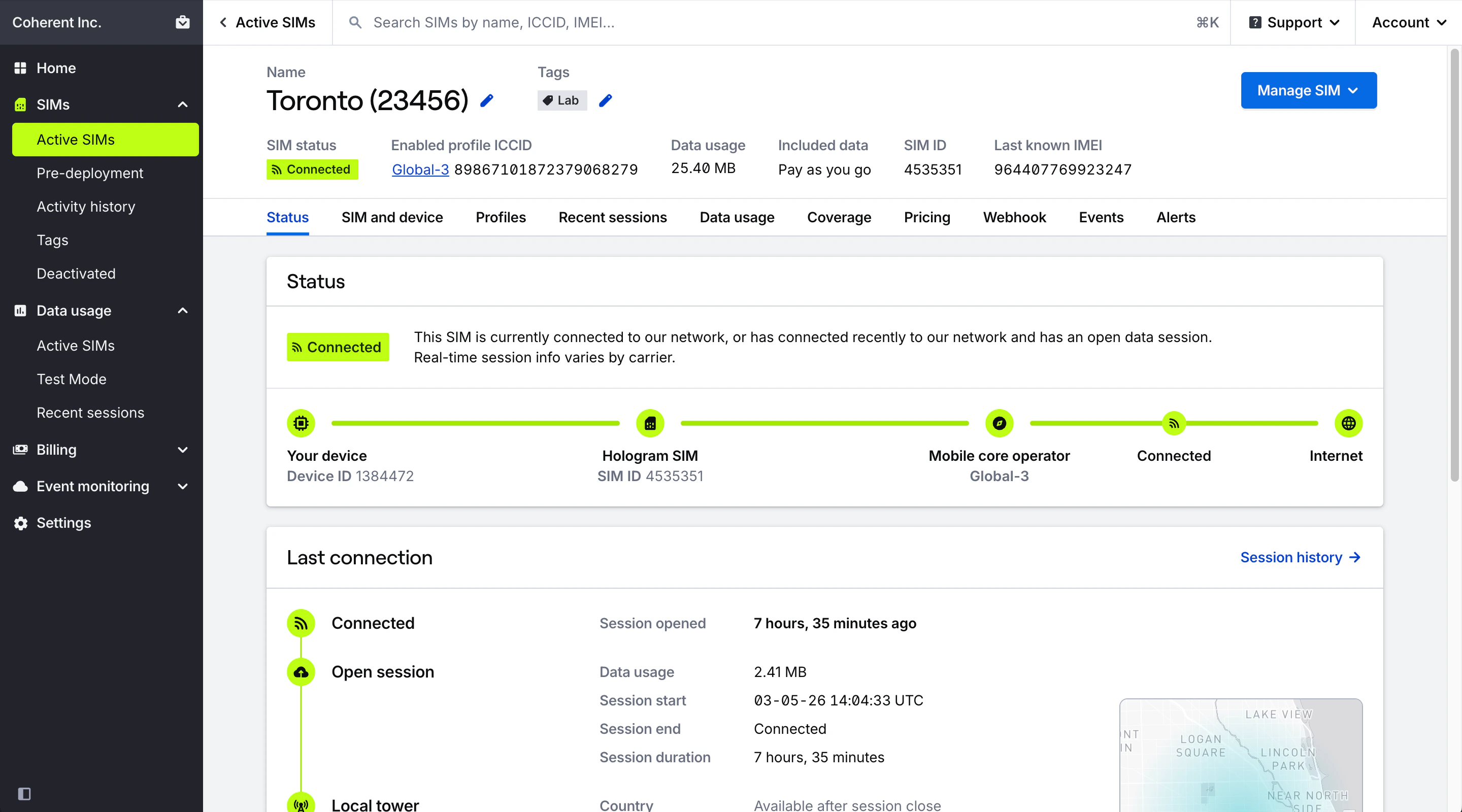
Find the most commonly referenced details and IDs for a SIM, and all actions that can be taken on it, at the top of the page.Field descriptions
Field descriptions
Name of the SIM. Click to rename.
Tags applied to this SIM. Click to manage tags.
The name and ICCID of the connectivity profile that is enabled and currently able to use data on this SIM. Click profile name to visit the Profiles tab. Click ICCID to copy to clipboard.
Total data usage for the SIM’s current billing period. This is the unique 30-day billing period for prepaid organizations, month-to-date for postpaid organizations, and lifetime usage for SIMs in pre-deployment testing.
The amount of data included in your chosen data plan, and the SIM’s data usage limit if set.
Hologram’s unique ID for this SIM card. Click to copy to clipboard.
IMEI of the last device this SIM connected through, if provided by the carrier and network. Click to copy to clipboard.
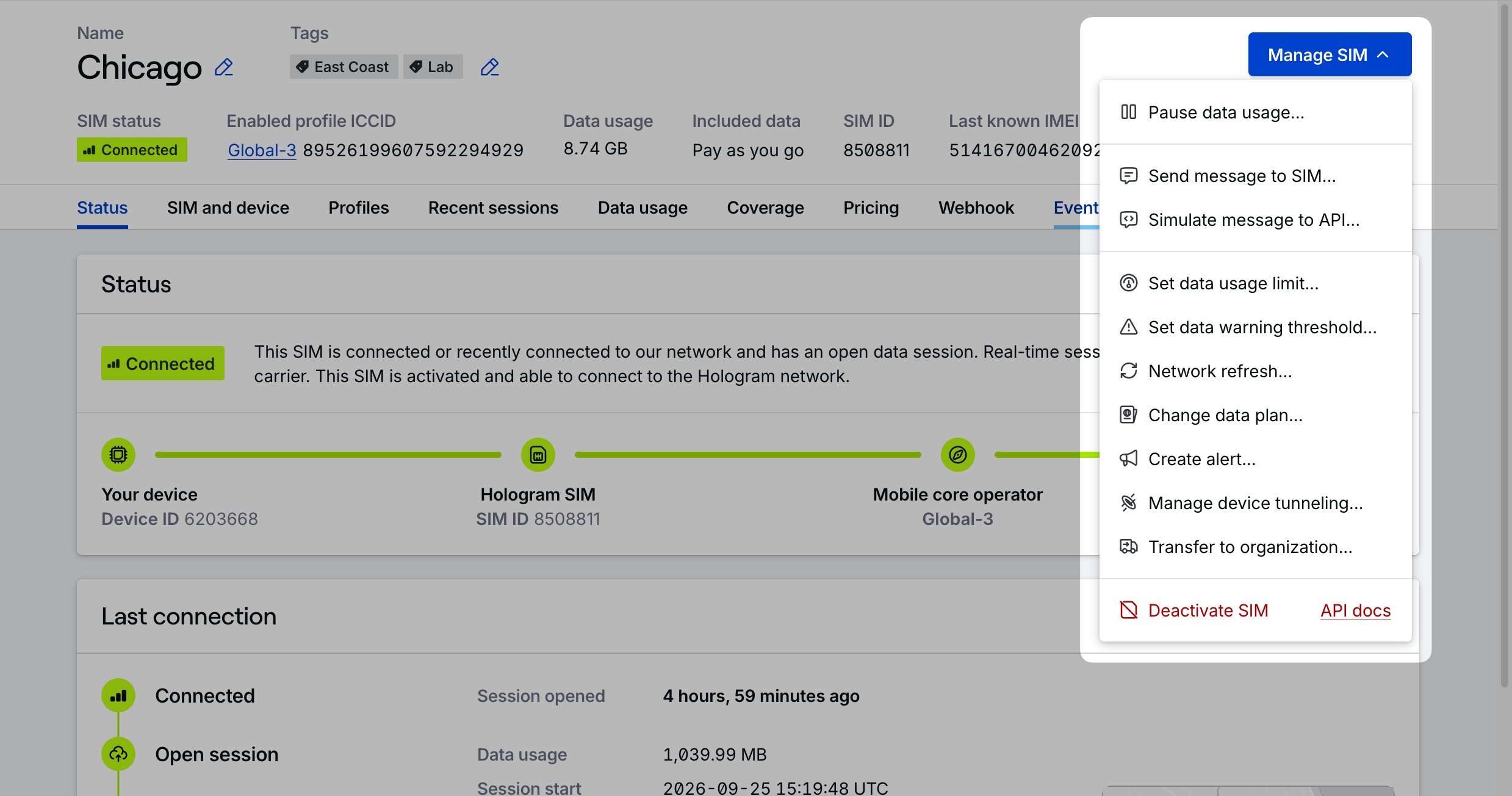
What actions can I take on a SIM?
All the actions you can take on a SIM are available in the Manage SIM dropdown menu in the right side of the page header. There you can pause/resume data usage, set data limits, change data plans, switch profiles, and more.