

Note: Data plan coverage includes networks and rates for all profiles available on the data plan, not just coverage for the SIMs you have selected.
How do I find coverage and rates for a data plan?
1
Find the data plan
Open the Billing section in the main menu and open the Data plans page.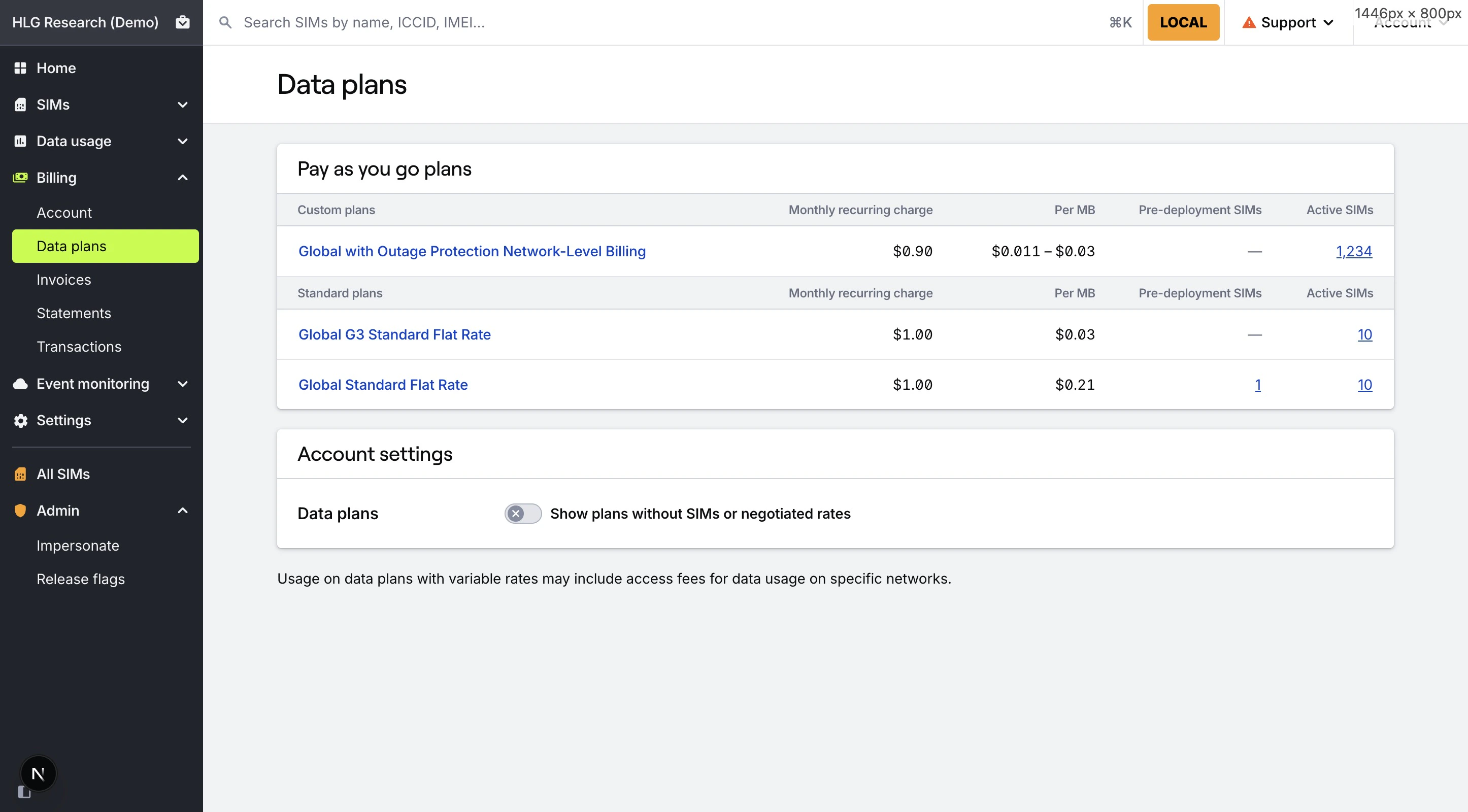
2
Open the plan's Coverage tab
Open the Coverage tab in the data plan’s details page to view the Coverage Explorer for the data plan.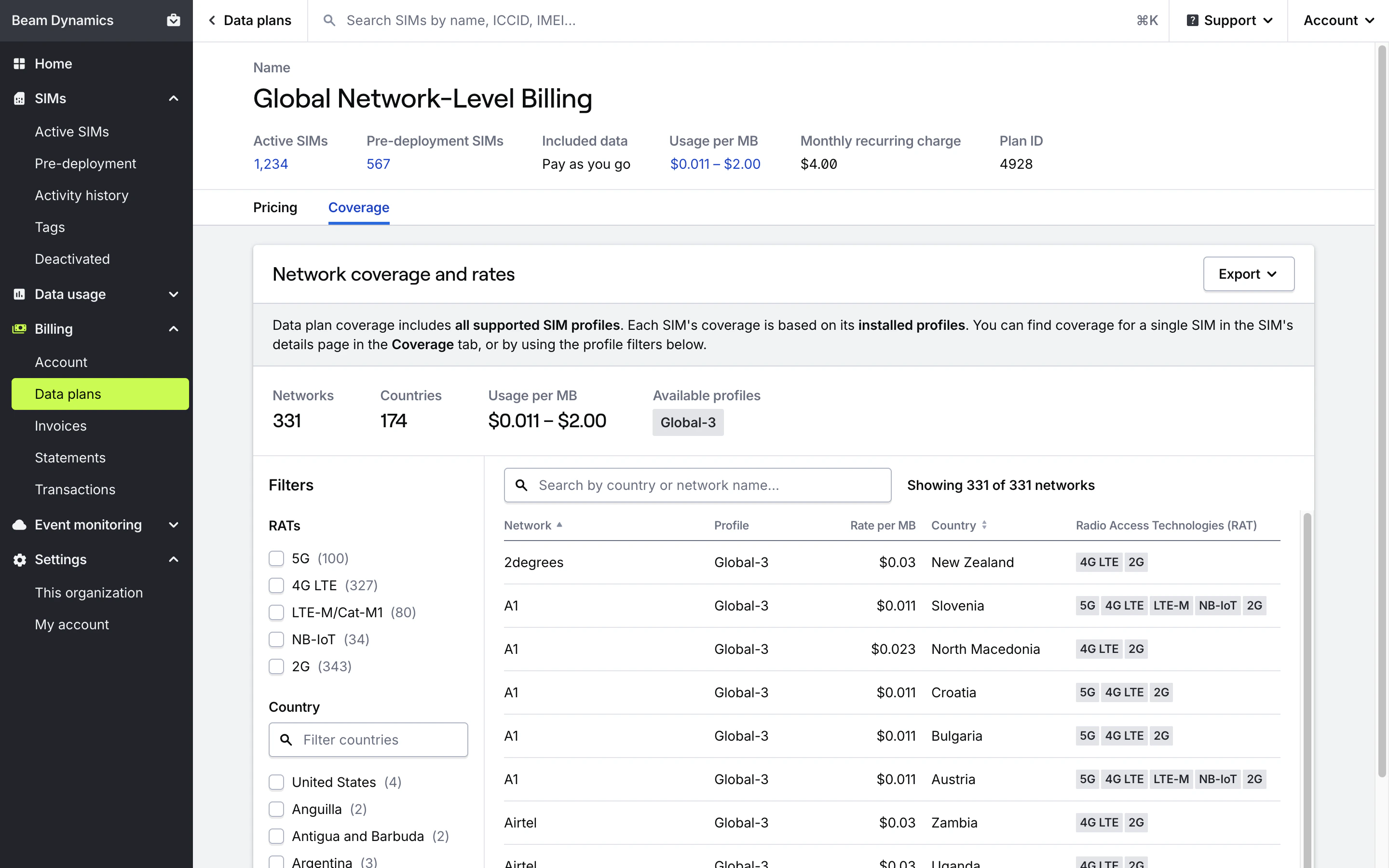
How do I find coverage and rates when activating SIMs or changing data plans?
1
Start the activation or data plan change process
Begin the activation or data plan change process.
2
View coverage and rates for the data plan
After adding SIMs, while selecting a data plan and after confirming the plan, each data plan listed will have a link to View coverage and rates. Click that button to open the Coverage Explorer for the data plan.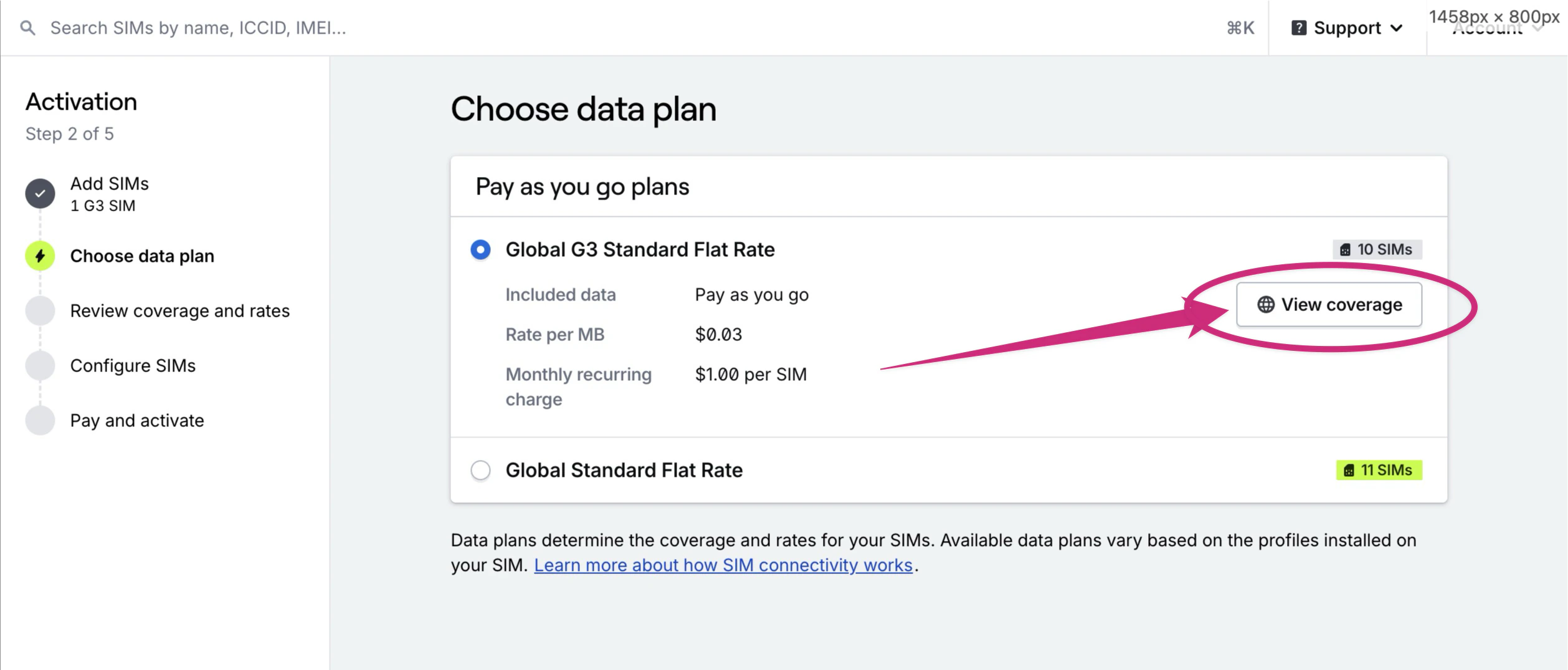
How do I find coverage and rates for a single SIM?
Coverage details for a single SIM are available in the SIM’s Coverage tab. Coverage available to a SIM is determined by the SIM’s active data plan, and the profiles installed on the SIM card. The enabled profile on a SIM determines networks it can connect to.View coverage and rates for a single SIM
How do I use Coverage Explorer?
Search
Filter the table by network or country names using the Search bar.Filters
- Profile: Filter by all profiles installed on your SIM, or choose a specific profile to see coverage and rates for a particular Mobile Core Operator. This is especially helpful when evaluating backup coverage on Hyper SIMs with Outage Protection™.
- RAT: Filter by supported Radio Access Technologies such as NB-IoT, Cat-M1 (LTE-M), or 5G.
- Country: Restrict results to specific countries.
Coverage table
The table lists all networks your SIM can connect to, based on its enabled and installed profiles, and shows the rates determined by the SIM’s current data plan. You can sort the table by network name (default) or country name.Field definitions
Field definitions
Network name. The last connected network for your SIM displays a “Last seen” label.
Profile the network is available on.
Data usage/overage rate when using data on this network, as determined by the SIM’s current data plan.
Country the network operates in.
Available Radio Access Technologies for this network/profile/country combination.
Export to XLSX or CSV
Generate and download a full coverage list for your SIM, including detailed network metadata. Exported data includes the following fields:- Profile name: Name of the profile the network is available on.
- Network name: Name of the network.
- Rate per MB: Data usage/overage rate when using data on this network, as determined by the data plan.
- Country: Country the network operates in.
- UNC: Hologram’s Universal Network Code that determines network-level billing rates.
- TADIG: The TADIG for the network.
- MCC: The Mobile Country Code for the network.
- MNC: The Mobile Network Code for the network.
- RATs: Available Radio Access Technologies for this network/profile/country combination.
Deep link with URL filters
Share or bookmark a filtered view of coverage and rates by appending URL parameters. Supported filters:Note: Access to some networks requires custom data plans. Review Hologram’s public coverage page and contact sales if you need tailored coverage.