

How do I create a SIM webhook?
1
Find the SIM
First find the SIM’s details page from the SIMs pages or using global search.
2
Open the Webhooks tab
Open the Webhook tab for the SIM, and in the Configure inbound webhook card, click the Generate webhook button.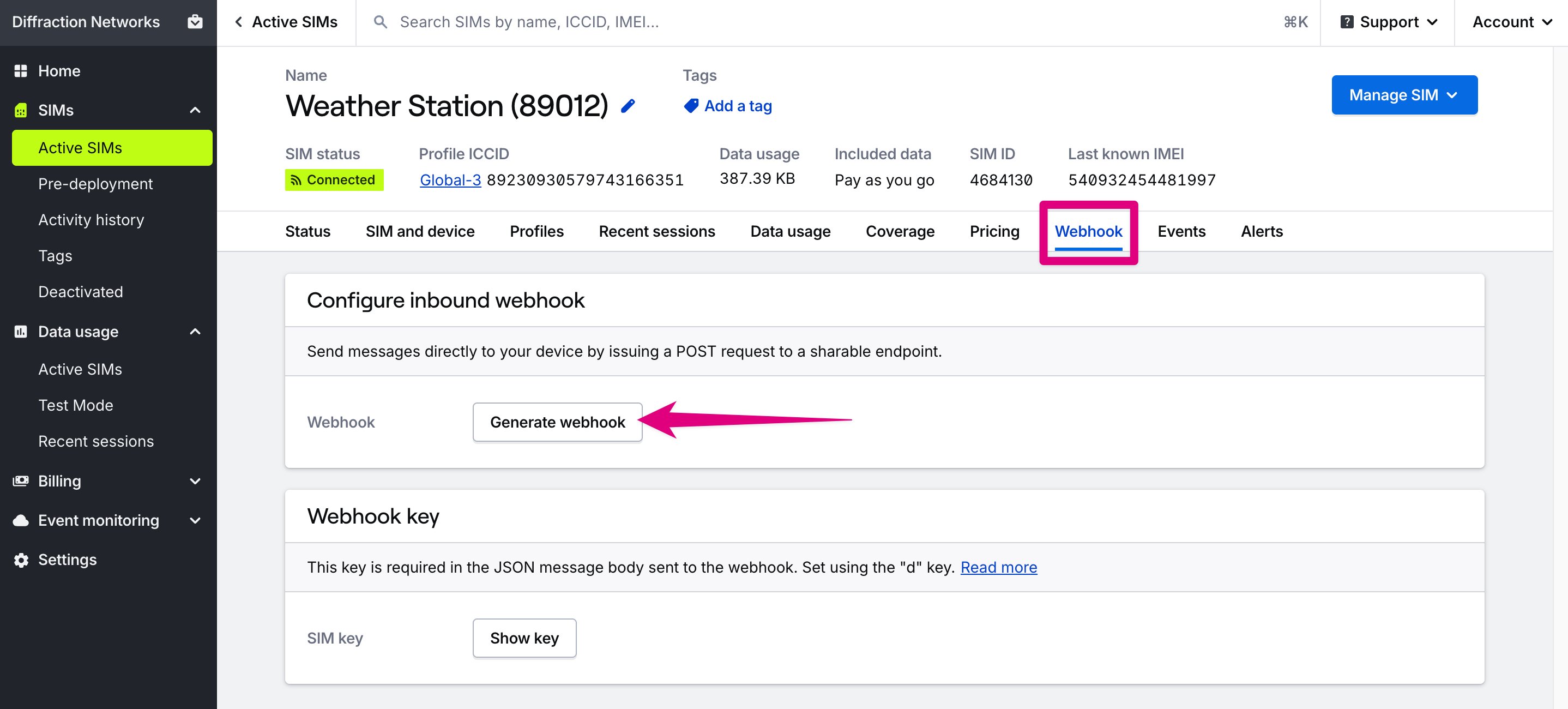
3
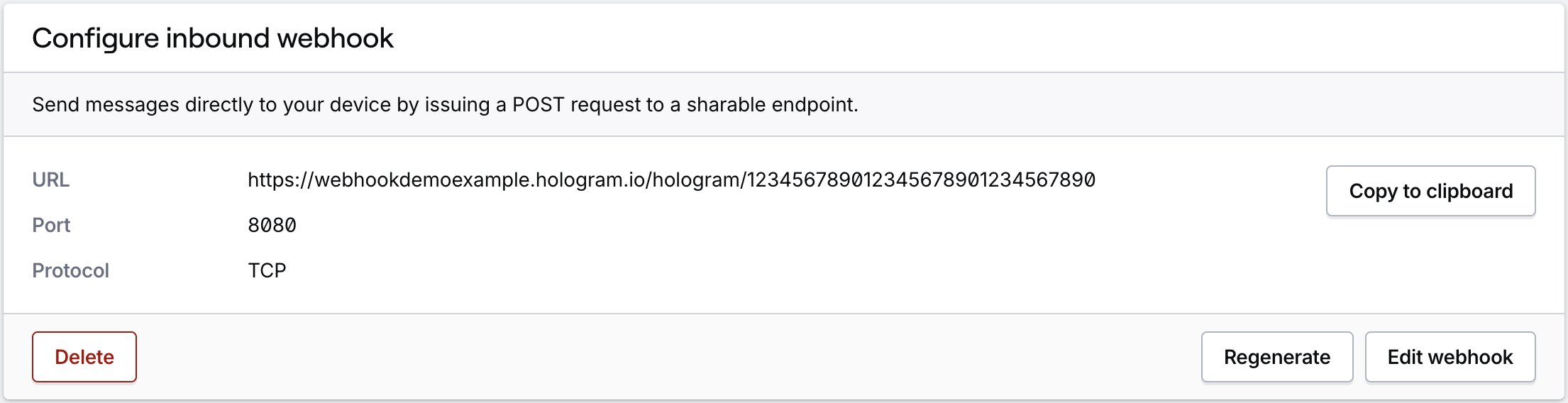
Configure the webhook
In the card that appears, enter the port number that will receive messages, and the protocol (TCP or UDP).
Where do I find the SIM’s webhook key?
Your Hologram webhook key is a device-specific identifier used to authenticate your SIM. This key is included in the JSON message body when sending messages to the webhook.1
Open the Webhooks tab
From the SIM’s details page, open the Webhook tab and click the Show key button in the Webhook key card.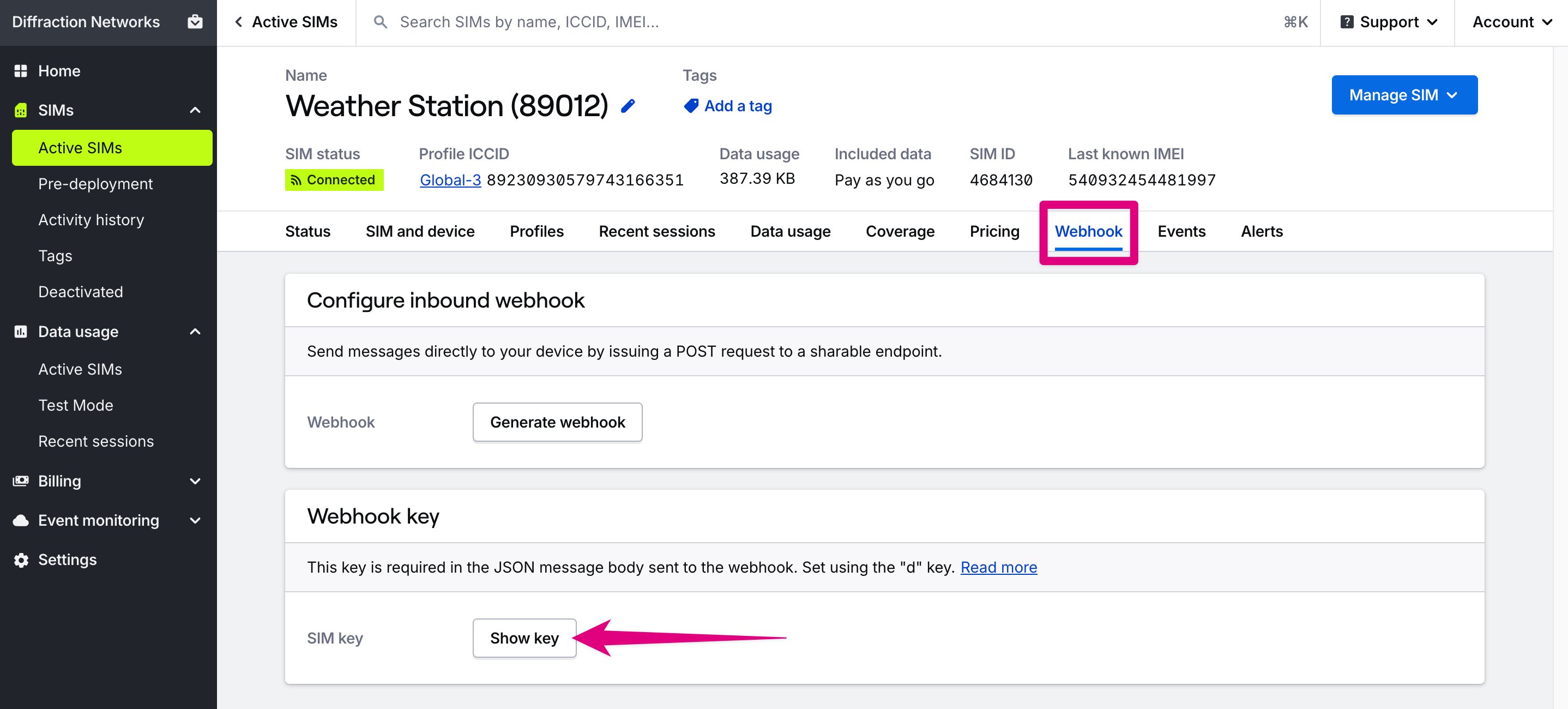
2
View and manage the key
A modal will appear that displays your webhook key. You can copy the key or generate a new one. Webhook keys do not expire.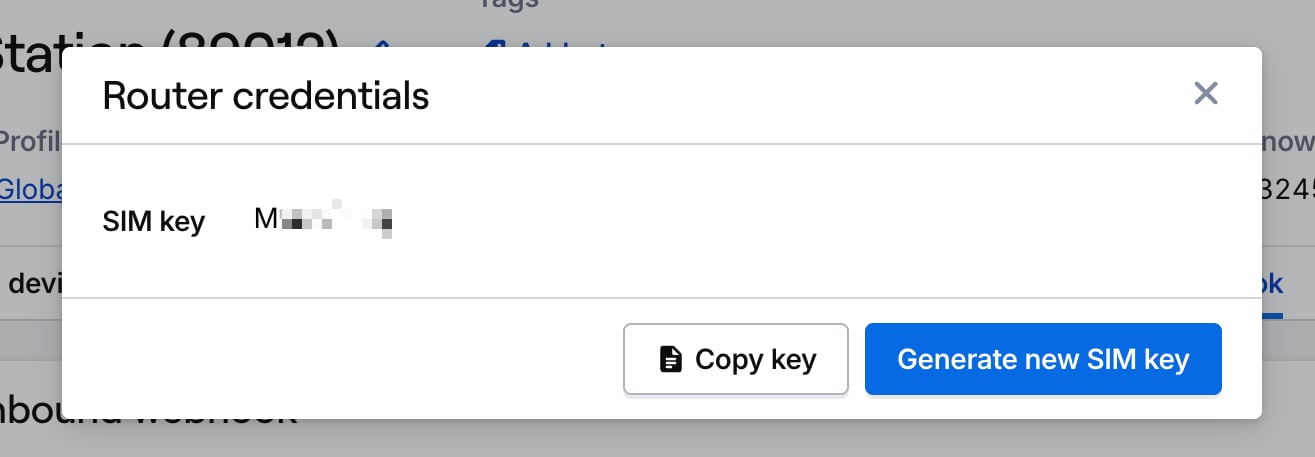
How do I send a message to a SIM’s webhook?
After generating a webhook and getting your device’s webhook key, use the following HTTP request to send a message to your SIM. The body is a JSON object with the following fields:kordevicekey— The device’s webhook keydordata— The message datatortags- The custom tag name
HTTP Request
Request Body
How to configure webhooks using the REST API
REST API endpoints
Configure device webhooks
GET/POST/PUT/DELETE /devices//webhookRelated actions
Send messages to SIMs
Send TCP, UDP, or SMS messages to your devices
Troubleshooting webhooks
Fix common webhook configuration issues
Limited access: Only Owners, Admins, and Managers can see the Webhook tab and configure webhooks. Editors can see whether a SIM has a webhook on the SIM details tab.