

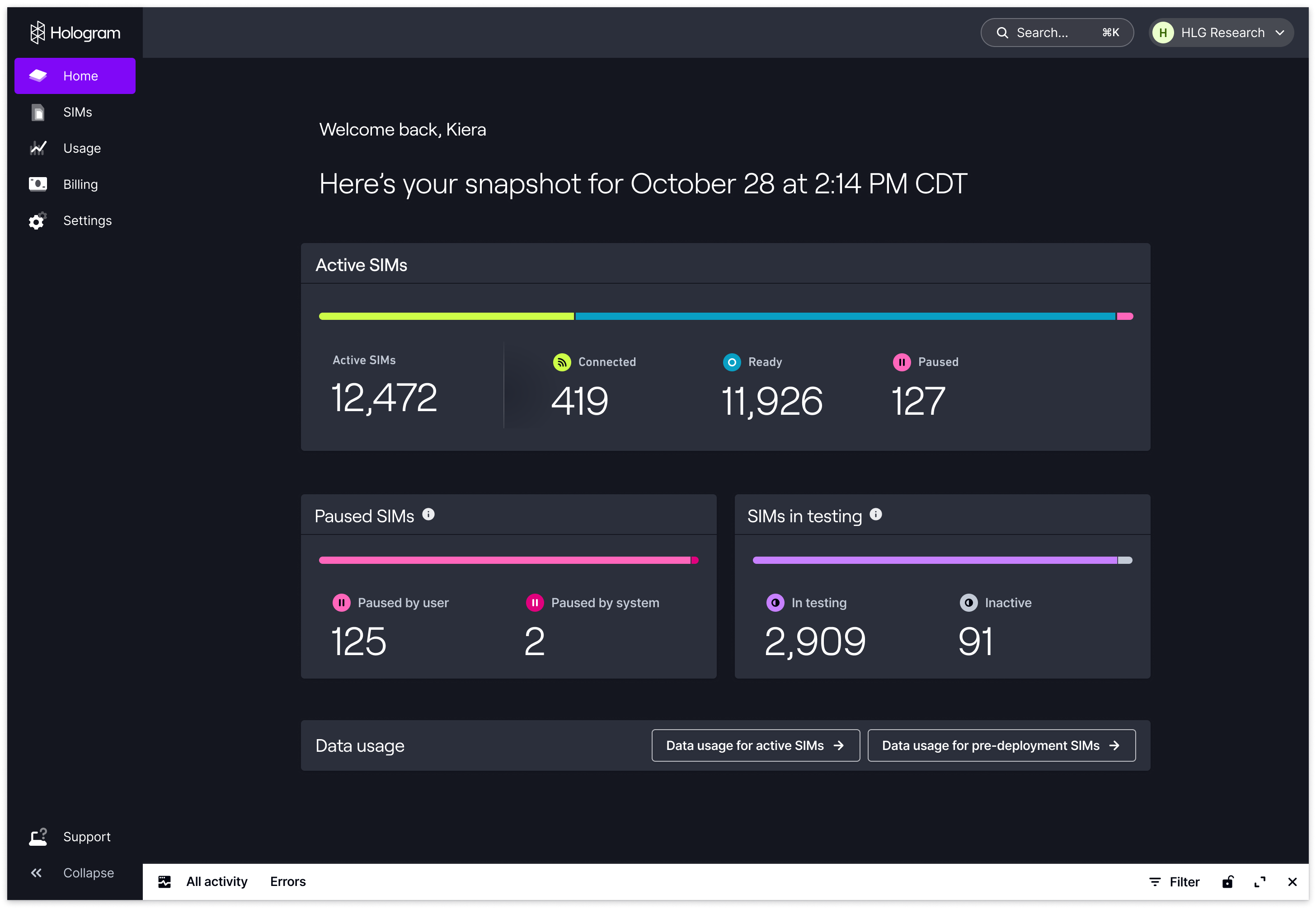
The Hologram Dashboard’s Home page gives you a heads-up view of the all the SIMs in your organization. Teams large and small can get real-time visibility and a quick pulse check on their fleet’s health, connectivity statuses, inventory counts, and Test Mode readiness.Documentation Index
Fetch the complete documentation index at: https://docs.hologram.io/llms.txt
Use this file to discover all available pages before exploring further.
Note: Request access to the Home page by contacting support@hologram.io.
View SIM status breakdowns
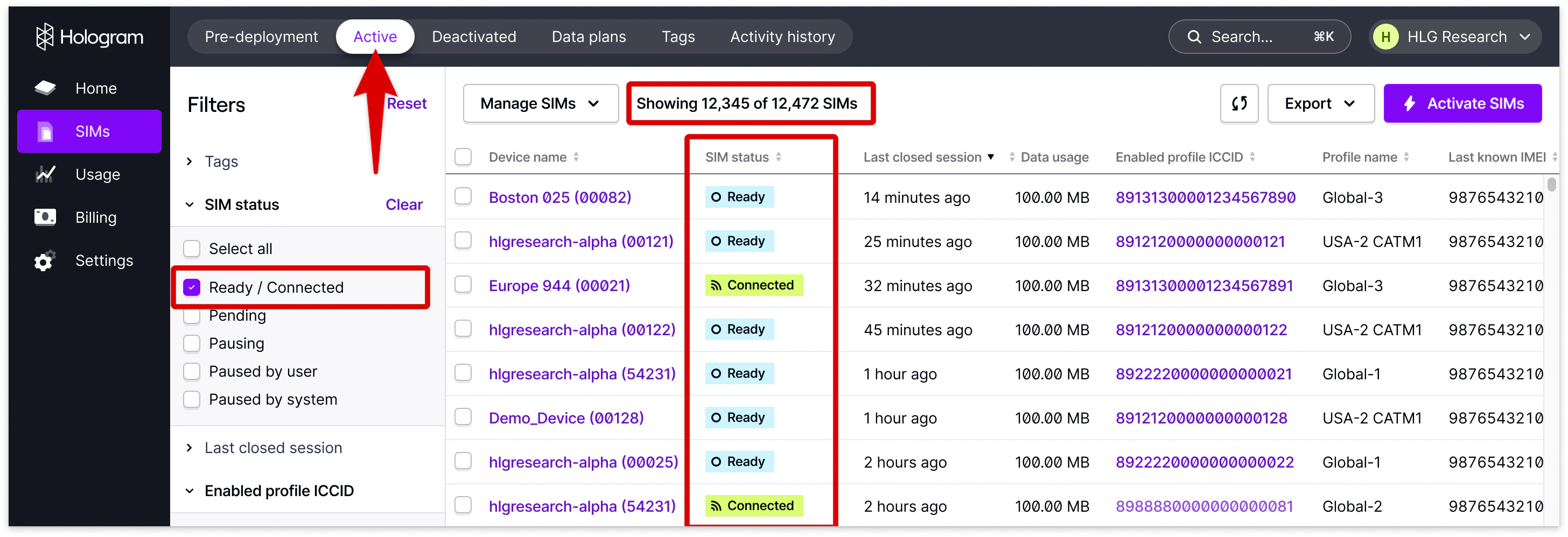
The Hologram Dashboard fleet status home page surfaces critical device information up-front, so you can easily see the status of SIMs across your organization. Here you’ll find the total count of the most important device status types in your fleet — Active, Connected, Ready, and Paused. Clicking any status and count will take you to the SIMs page with the table pre-filtered based on the status you chose. This gives you the ability to see the full device status breakdown at-a-glance in your homepage, and easily drill down one layer deeper for device-level data with one click.
How are SIM statuses defined?
Below you will find the definitions of how the Active device SIM count is calculated in the homepage, and what each status means in both the dashboard and the API:| Dashboard | API | Description |
|---|---|---|
| Ready | LIVE | The SIM is activated and is able to use data on our network. |
| Connected | LIVE (CONNECTED) | The SIM is currently connected to our network, or has connected recently to our network and has an open data session. |
| Pending | LIVE-PENDING | This SIM is being configured for use on the Hologram network. (Includes SIMs that are activating for the first time, and SIMs that are resuming data usage from a PAUSED-... state.) |
| Pausing | PAUSE-PENDING | A pause command has been sent to local carriers. While paused, your device will not be able to use data or access SMS services. |
| Paused by user | PAUSED-USER | This device has been manually paused by you or a team member. While paused, your device will not be able to send or receive data or SMS messages. Monthly access fees for this device still apply while it is paused. |
| Paused by system | PAUSED-SYS | Your device was paused after reaching a data limit, SMS limit, or due to insufficient funds. While paused, your device will not be able to send or receive data or SMS messages. See here to learn more about adding balance to your account: |
Note: There are no Pending or temporary states included on the Home page in the Hologram Dashboard. This is to avoid SIM state counts overlapping, since these states have a relatively short lifespan before switching into another state.
How are Test Mode SIM statuses defined?
Below you will find the definitions of how the Test Mode Device SIM count is calculated in the homepage, and what each status means in both the dashboard and the API.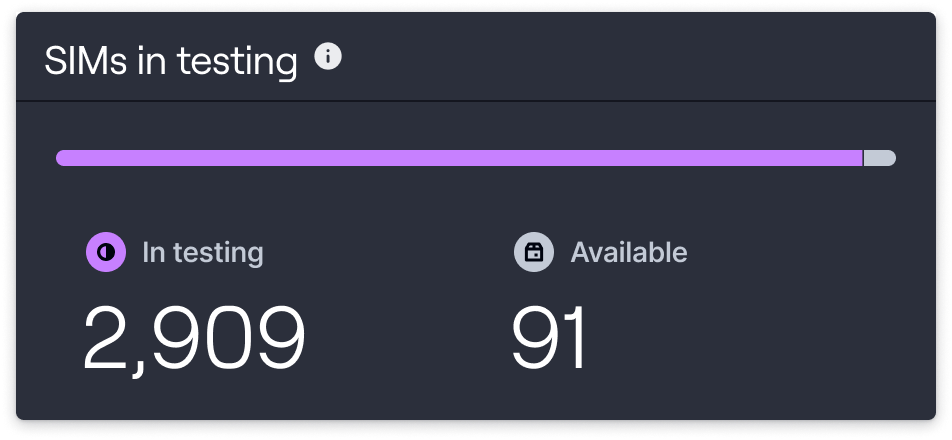
TEST-ACTIVATE-PENDING) are not displayed on the Home page.
| Dashboard homepage | API | Description |
|---|---|---|
| In testing | TEST-ACTIVATE | Your device is enrolled in Hologram Test Mode and can use 100 KB of data, 10 outbound SMS messages, or reach the end of it’s testing period before it will automatically activate. We haven’t seen this device yet on the network. [or] This device has connected to the network but has not successfully transmitted data yet. [or] This device has successfully connected and transmitted data on the network. [or] This SIM is in pre-deployment testing and is currently transmitting data or has recently connected to our network, and has an open data session. |
| Available | INACTIVE | This SIM is assigned to your organization, but has not been activated. Activate it at any time to start using data on the Hologram network. |
Note: There are no Test Mode Connected, Deactivated, Deactivating, or Test Mode-Pending states included on the Home page. Additional legacy Test Mode configurations may be included.