

How do I add a promo code to my account balance?
If your organization is prepaid and has an account balance, you can apply promo codes to add credits to your account balance.1
Go to Billing → Account
To add a promo code to your Hologram account go to the Billing section in the main menu of your dashboard and open the Account page.
2
Click Apply promo code
Look for the Account balance card and click the Apply promo code button.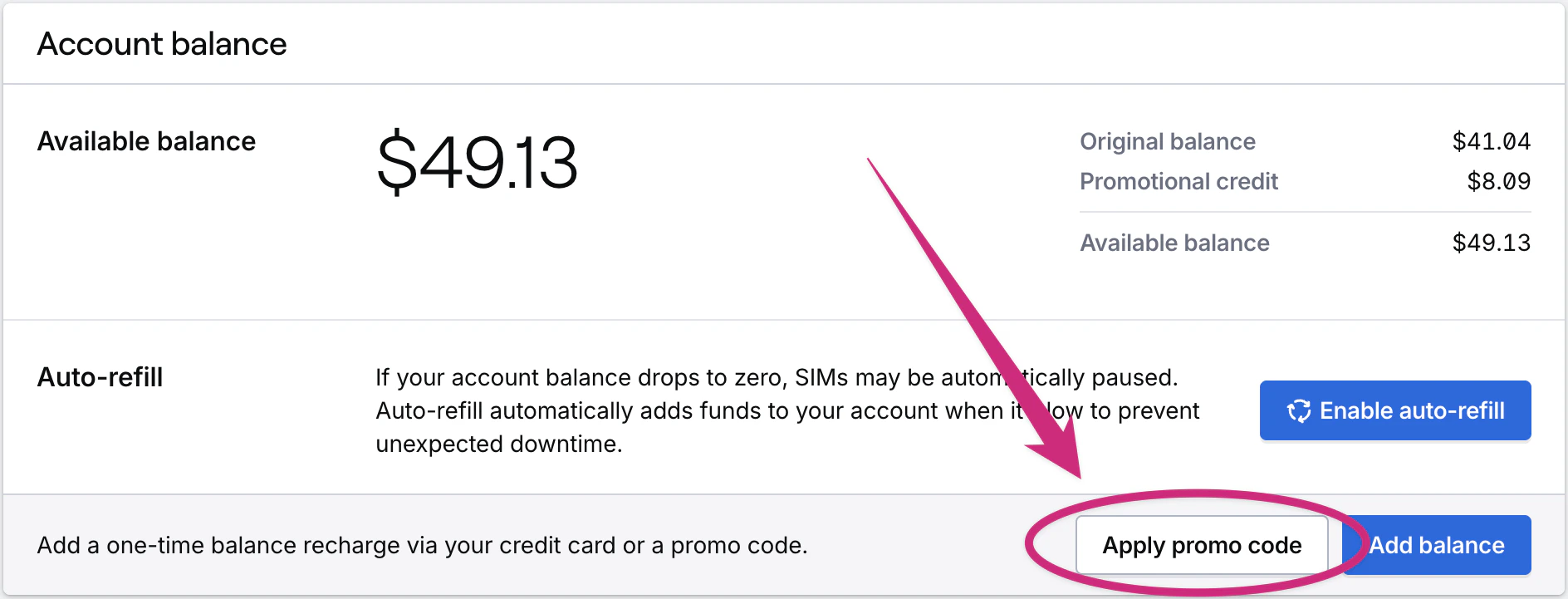
3
Enter your promo code
Enter your promo code in the Apply promo code modal that opens, then press the Apply promo code button.
4
View your updated account balance
After submitting you should see the amount added to your account balance and display in a Promotional credit total.
Limited access: Some functionality in your dashboard is restricted to roles with access.