

Add or change a billing address
1
Go to Billing → Account
Expand the Billing section in the main menu and navigate to the Account page. Scroll to the Account details card.
2
Click Update billing address
In the Account details card, select Update billing address.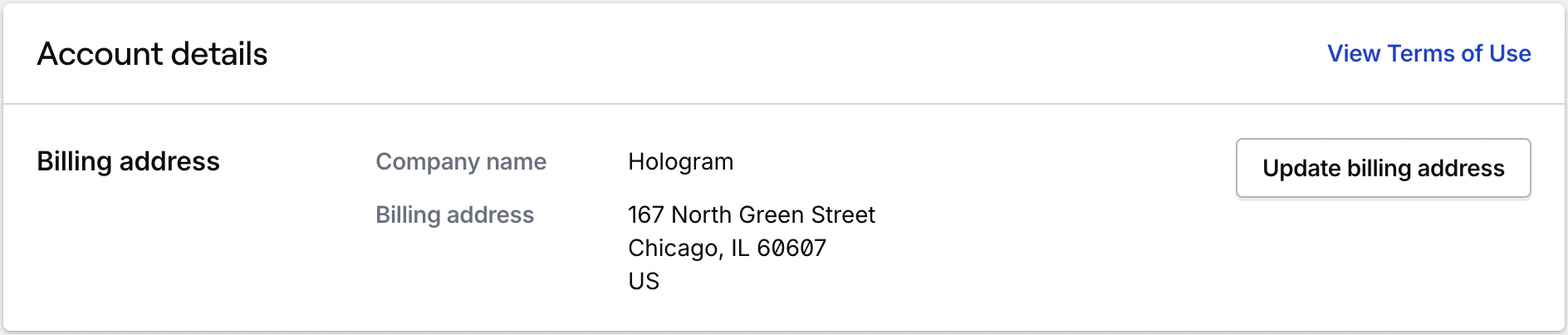
3
Enter your address and save
In the form that displays within the card, enter your billing address and select Update billing address to save.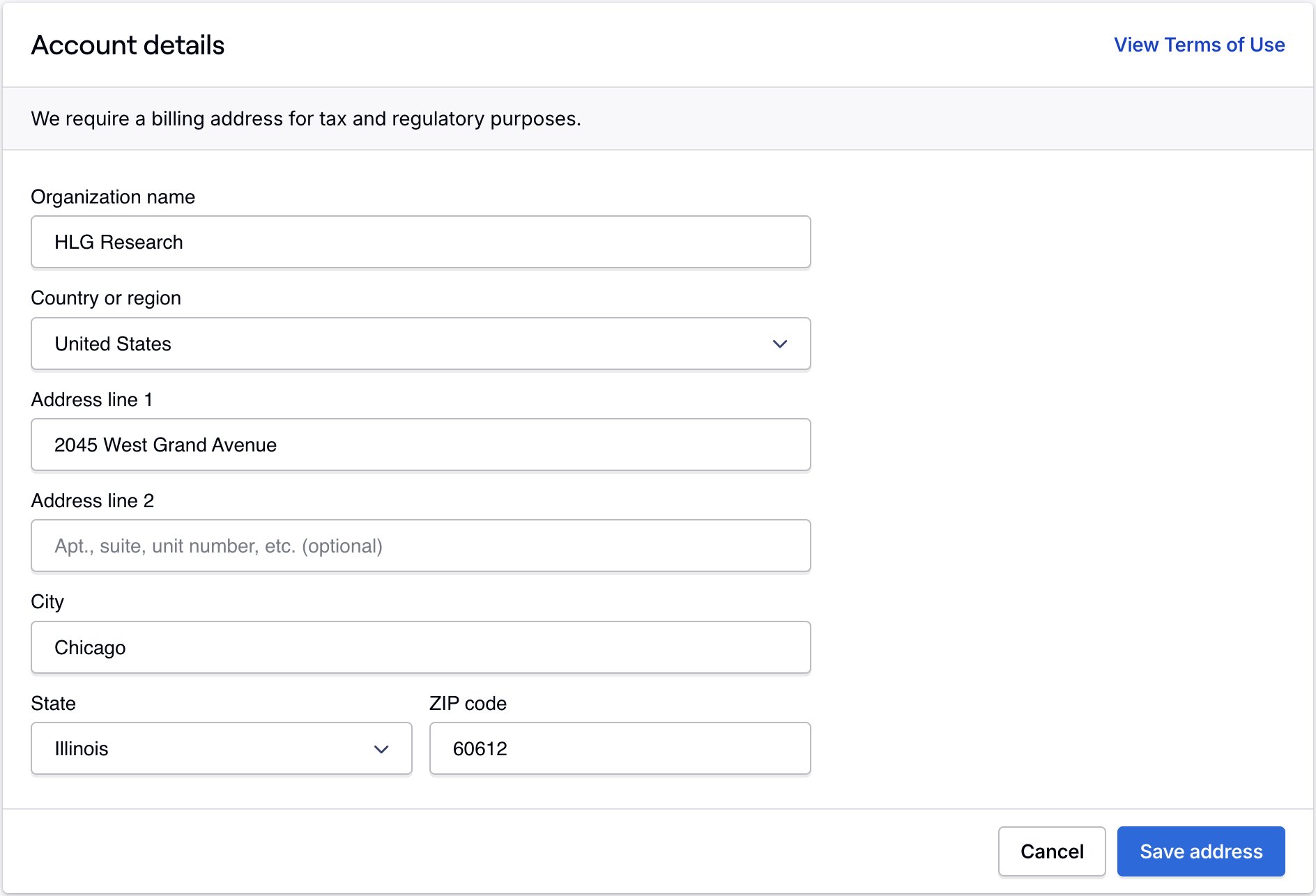
Related guides
Update billing address (functionality)
Use the Billing Account page to add or change your billing address
Billing overview
Where to manage billing, payment methods, and history