

Status card
An overview of the connectivity status of a SIM. It displays a path of connectivity to illustrate how a SIM connects to the internet and where communication for various status changes take place. Click to copy device, SIM, and enabled profile (link) IDs from this card.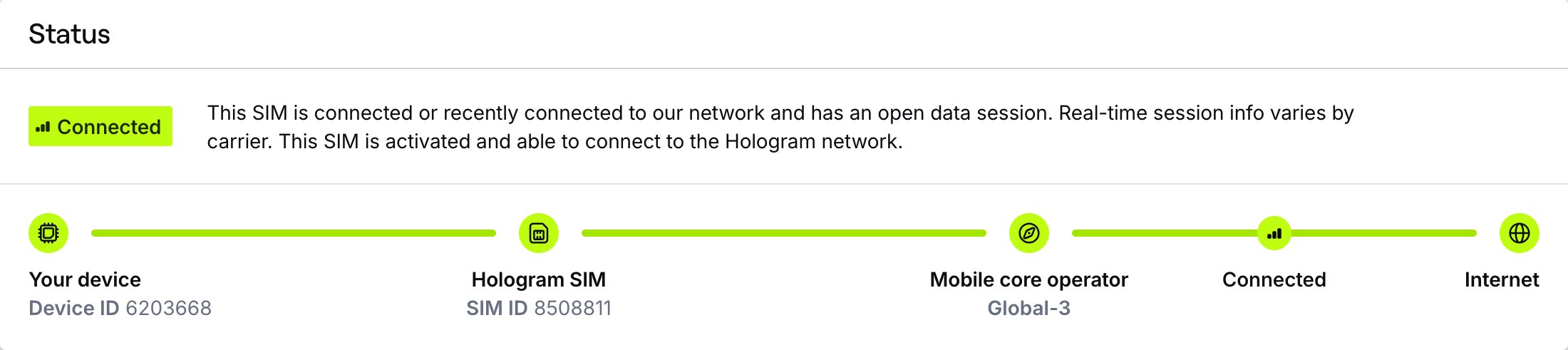
Field descriptions
Field descriptions
The SIM’s current status and description. A SIM in
LIVE-PENDING reads Activating when it’s joining the Hologram network for the first time (usually under 15 minutes), or Resuming when it’s coming back from a paused state (up to 10 minutes). A SIM that’s pausing reads Pausing.Hover over or select the status label in the diagram to see the SIM’s last state change: the state it changed from and to, when it happened (UTC), and the reason, such as a user request, a data or SMS limit being reached, billing, or activation.
Displays the profile name of the mobile core operator. Hover to view and copy profile (link) ID for the profile.
Last connection card
An overview of the last known session information for a SIM, as provided by the network and carrier. You can find open session details, location information, and information about reporting windows and the APN required for your device to connect. Note that not every network, carrier, or session provides information like IMEI, location, or ongoing data usage for open sessions.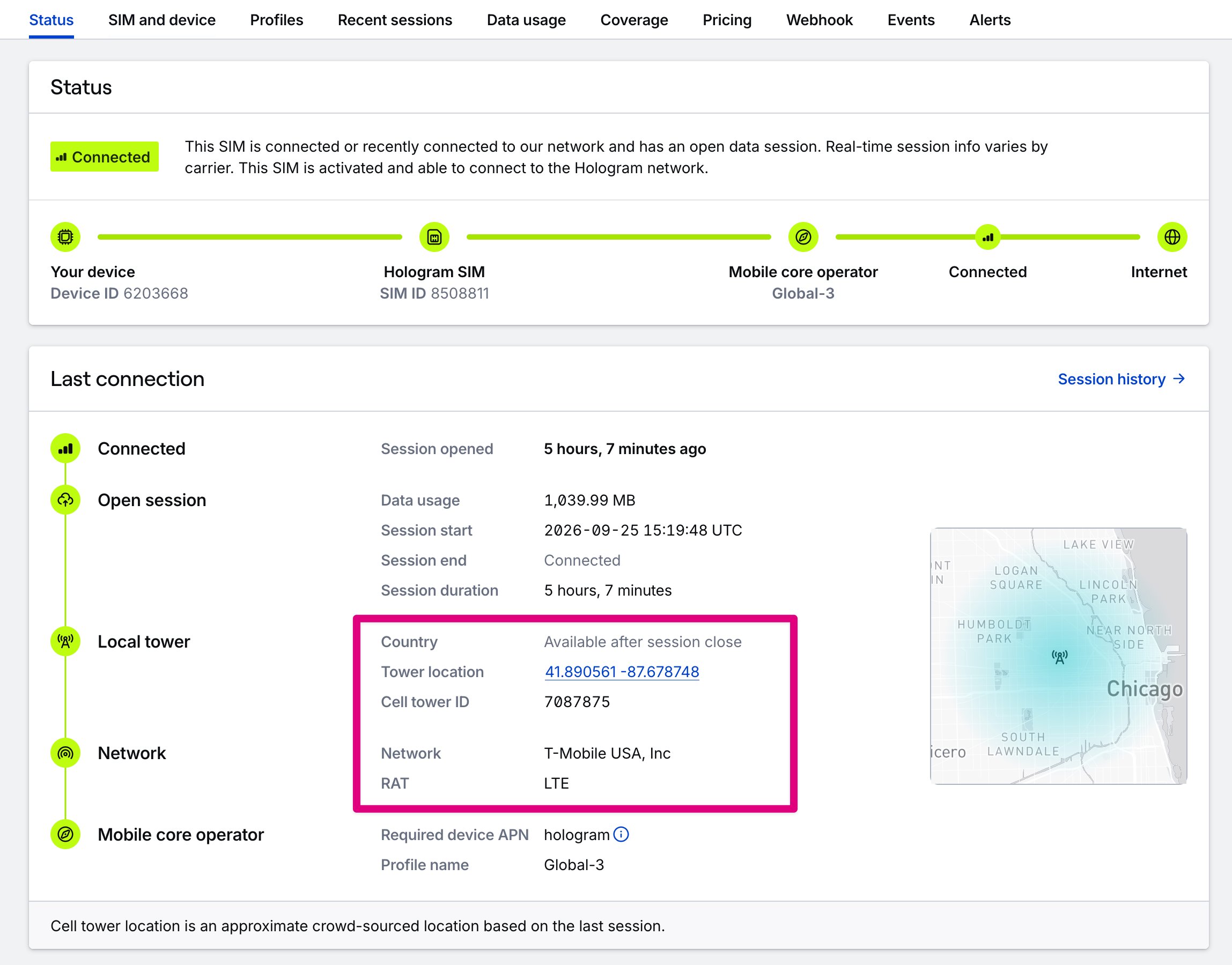
Field descriptions
Field descriptions
Relative time since the SIM’s last closed session or the start of its current open session. This matches the Last active column in the SIMs pages. For SIMs configured with pre-deployment testing, this session may have occurred during Test Mode.
Displays only for reporting windows for carriers that return timed blocks of data usage rather than individual sessions.
Usage this billing period card
An overview of the data usage for the SIM’s current billing period. If your account uses prepaid self-service billing, SIMs use data and are billed on a 30-day billing period beginning when the SIM was activated. If your account uses invoiced monthly billing, SIMs use data and are billed monthly. Data plan included data and data limits always apply to each SIM’s unique 30-day billing period.
Field descriptions
Field descriptions
Limited access: Learn more about Test Mode and streamline your deployments by contacting our sales team.
Test Mode fields
Test Mode fields
Lifetime test data usage for this SIM, and the threshold of data usage at which it will automatically activate.
Status warnings
SIM and profile status mismatches
SIM and profile status mismatches
The Status card shows a warning above it when a SIM’s profiles haven’t caught up with the state you set for the SIM:
- The enabled profile doesn’t match the SIM’s intended status. The SIM may not behave how you expect until the profile reaches that state. Each profile that’s out of step is listed with its current state and a link to its details.
- One or more profiles haven’t reached the SIM’s intended status yet. Profiles follow a state change at their carrier’s pace, so this is normal for a few minutes after you pause, resume, or activate a SIM.
Note: USA-2 profiles report usage in periodic reporting windows rather than real-time sessions, so a SIM whose enabled profile is USA-2 never shows as Connected. USA-2 profiles also have a pause limit; if the carrier resumes a paused USA-2 profile, the Status card warns that the profile has likely been unpaused by the carrier. See Pause and resume SIMs.