

Profiles card
Lists the profiles currently installed on a SIM with primary identifiers, statuses, and their expected connectivity behavior. This card shows how network fallback will behave on a Hyper SIM with multiple installed connectivity profiles.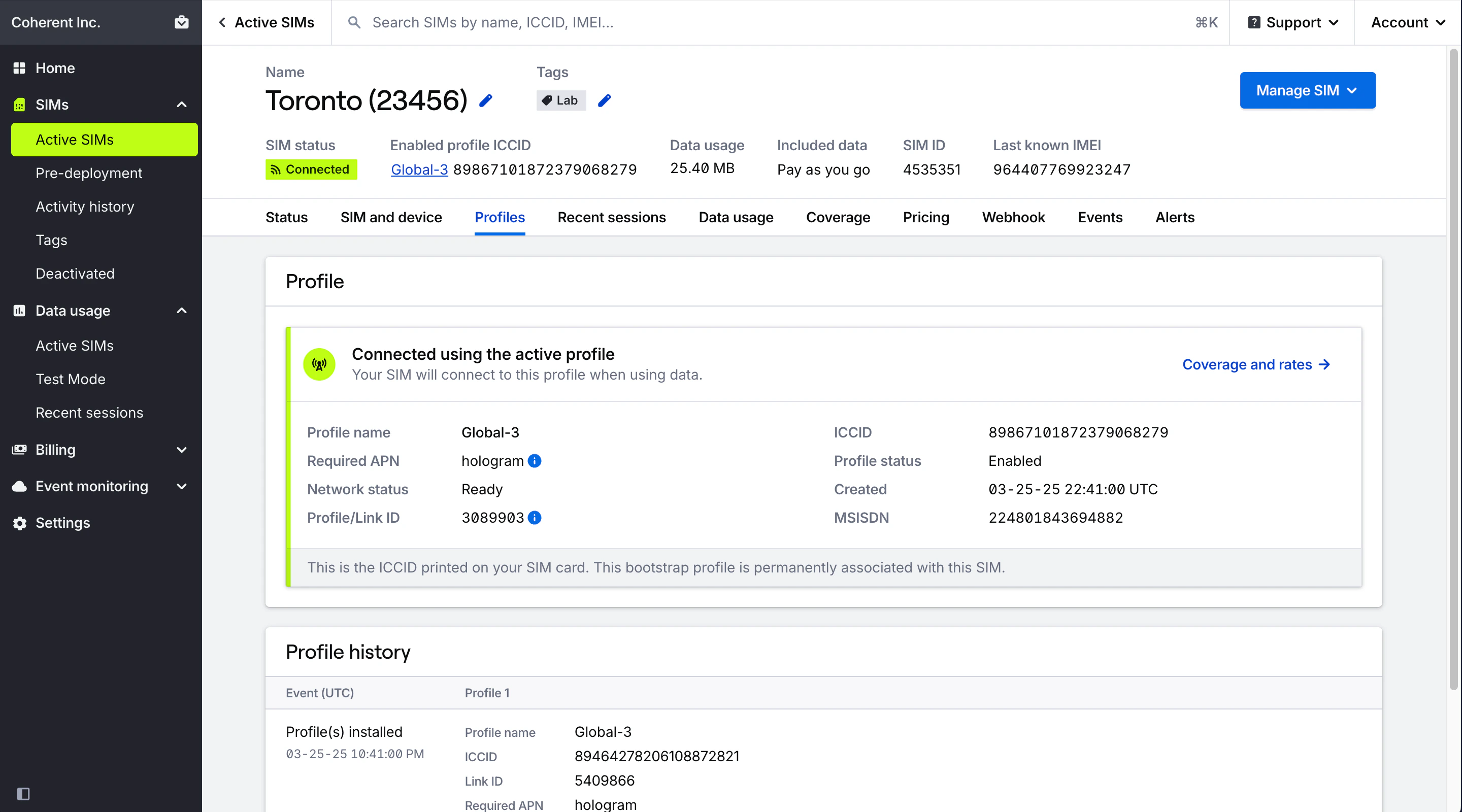
Field descriptions
Field descriptions
For fallback-enabled SIMs, explains how a SIM behaves when fallback is disabled.
Labels that indicate which profile is enabled, and whether you can connect to other installed profiles.
Hologram’s name for the profile, which generally describes carrier partner coverage areas.
Unique carrier-assigned identifier for the profile.
Status of the current profile, which determines the current SIM status.
Enabled/disabled status of the profile. The enabled profile is currently able to use data and connect to the internet.
Unique Hologram identifier for a profile.
APN required on your device to connect through this profile. If installed profiles have different APNs, additional warnings will display.
Date the profile was installed onto this SIM.
MSISDN of the profile.
Fallback timer message describing behavior when the enabled profile loses connection, including timer details. This message also lists out ICCIDs manufactured on the SIM that are permanently associated with it and may be printed on the physical SIM card.
Fallback history
Lists a history of all fallback events for a SIM. Each fallback event represents a change in the enabled profile on a SIM, generally due to a carrier disconnection failover managed by Outage Protection or a profile configuration change. Detailed records of fallback events can also be found by reviewing session history and looking for changes in enabled profile ICCIDs or names. Sessions will list different ICCIDs when a fallback event occurs as the SIM has switched to a new profile.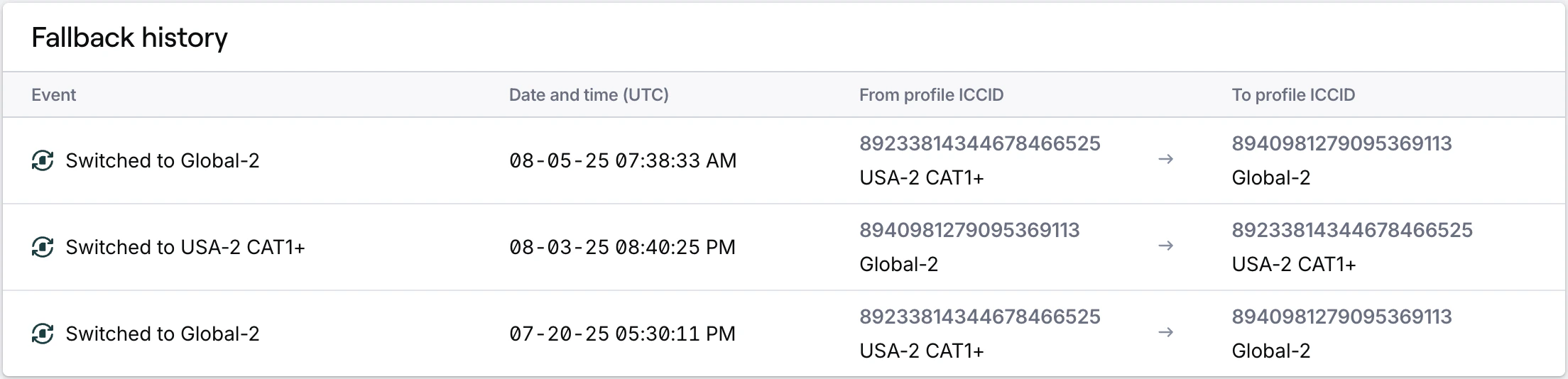
Field descriptions
Field descriptions
Profile history card
Provides a full history of profile installations and removals from a SIM card. Profiles are listed oldest to the left, newest to the right. Each row represents a change to a single profile in the SIM’s configuration. This card displays after expanding Show more details.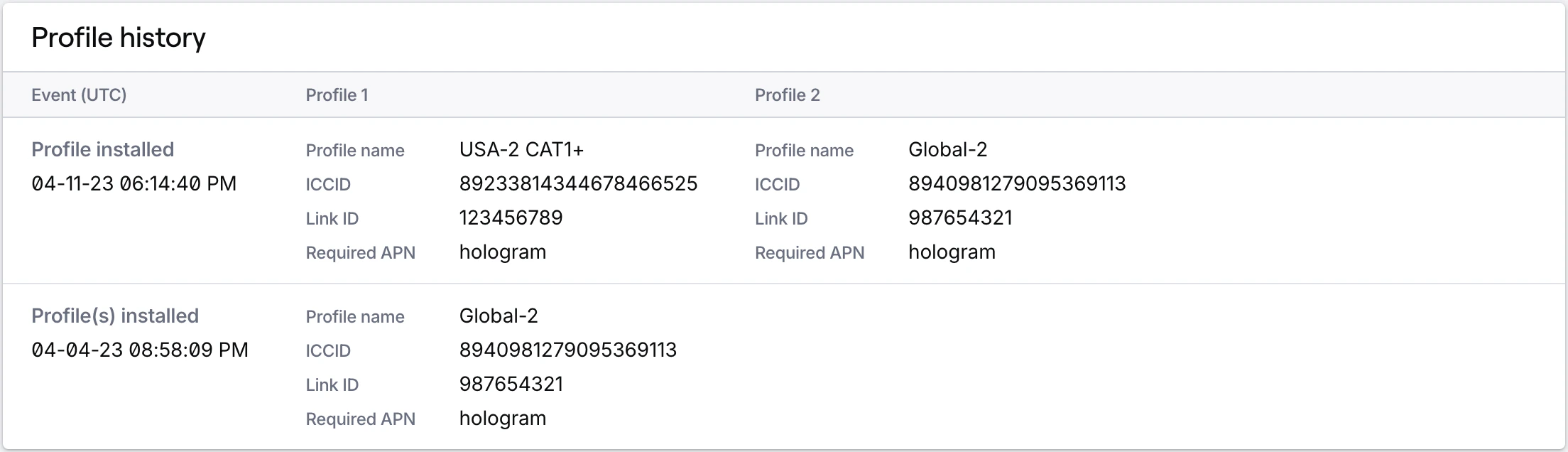
Related actions
Switch to a different profile
Learn how to switch to a different profile on a SIM with Outage Protection